
Provision a Company's People From Its Directory
Turn on provisioning for a company, hand its directory to its IT admin, map its groups to roles, and decide whether removed people still count.
With provisioning on, a company's own directory (Okta, Microsoft Entra, Google Workspace or any SCIM directory) creates, updates and removes its people in your app, so nobody adds or removes them by hand. It runs through WorkOS Directory Sync on your own WorkOS account, which WorkOS bills separately from single sign-on. The reference has every rule.
Before you start
- A company with Enterprise SSO set up, and a verified domain (Enterprise SSO).
- Directory Sync on your BuildBase plan.
Open the Enterprise tab in the console
(opens the console in a new tab)1. Turn provisioning on
On the Enterprise tab, open the company and scroll to Provisioning. Turn on Provision people from the directory and confirm. Only people on a verified domain are created, and turning it off later removes nobody.
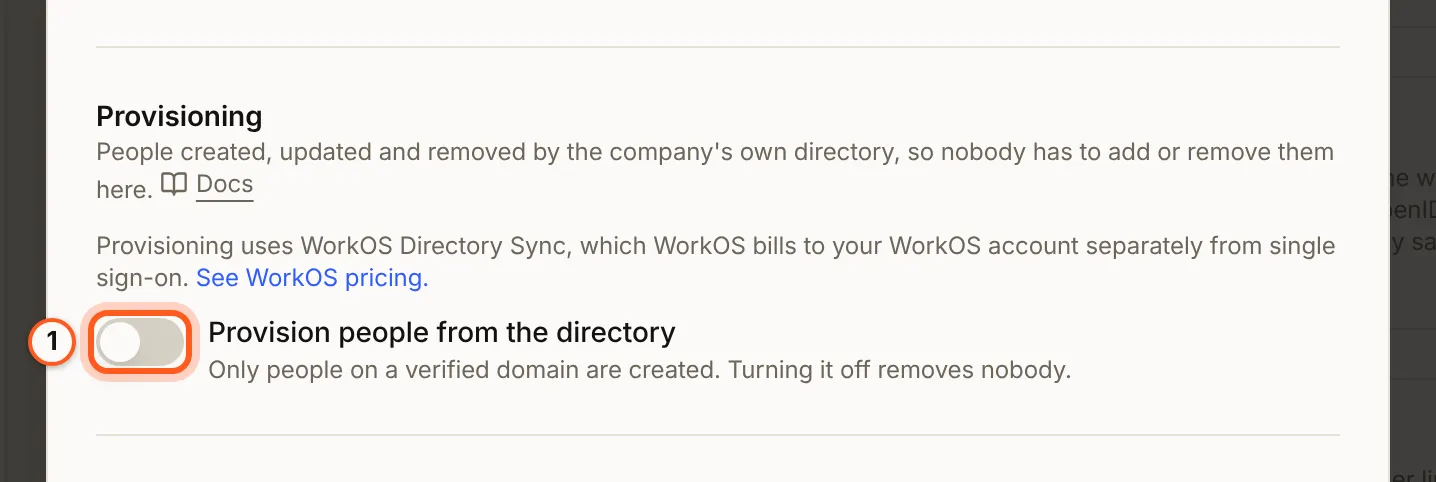
2. Hand the directory to the IT admin
Press Set up provisioning to open WorkOS's setup portal, or send it to the company's IT admin with Invite the IT admin by email and Provisioning ticked, under Connect the identity provider. The IT admin connects the directory in WorkOS's portal; until then the section reads "Not linked yet".
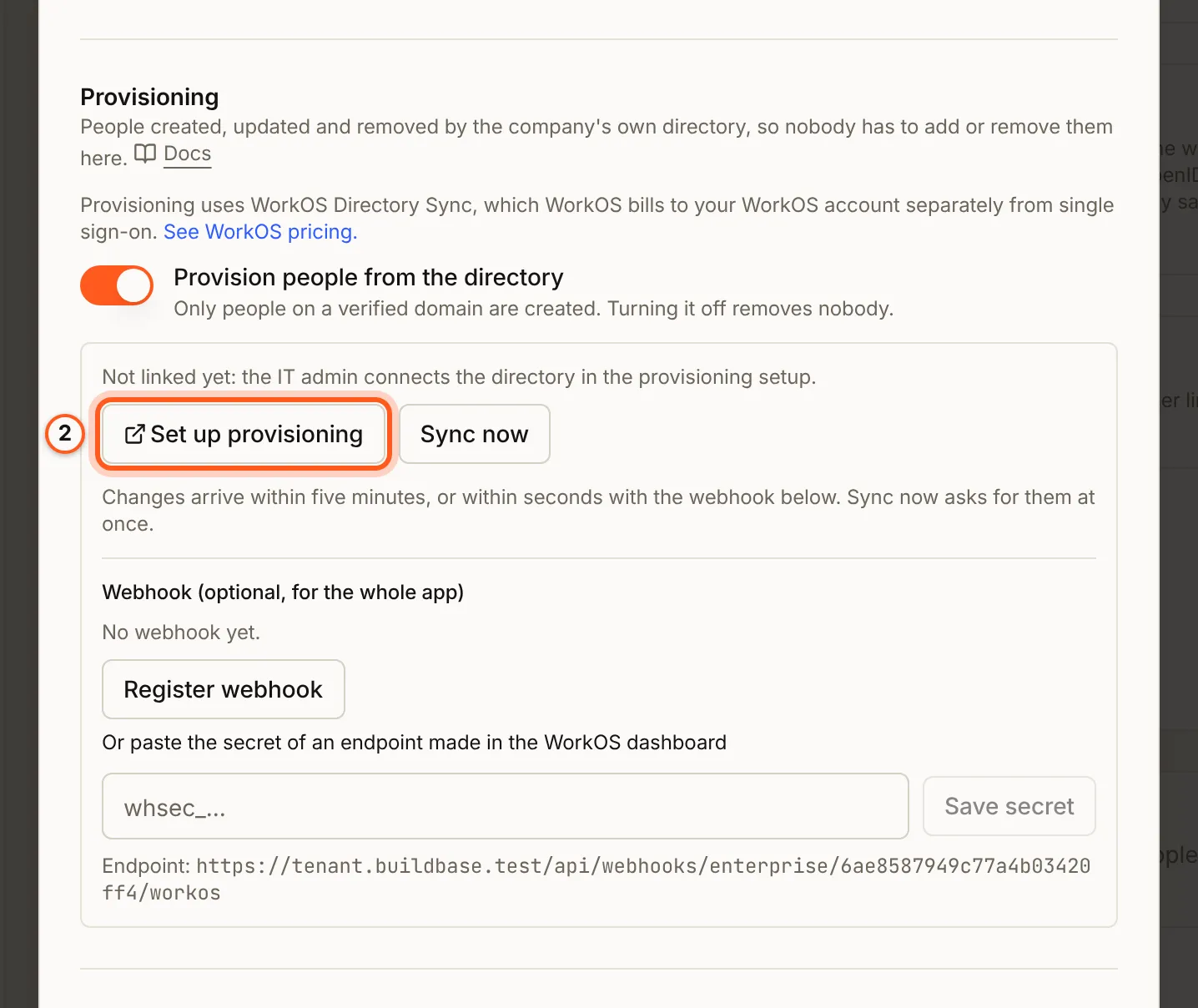
3. Sync and map roles
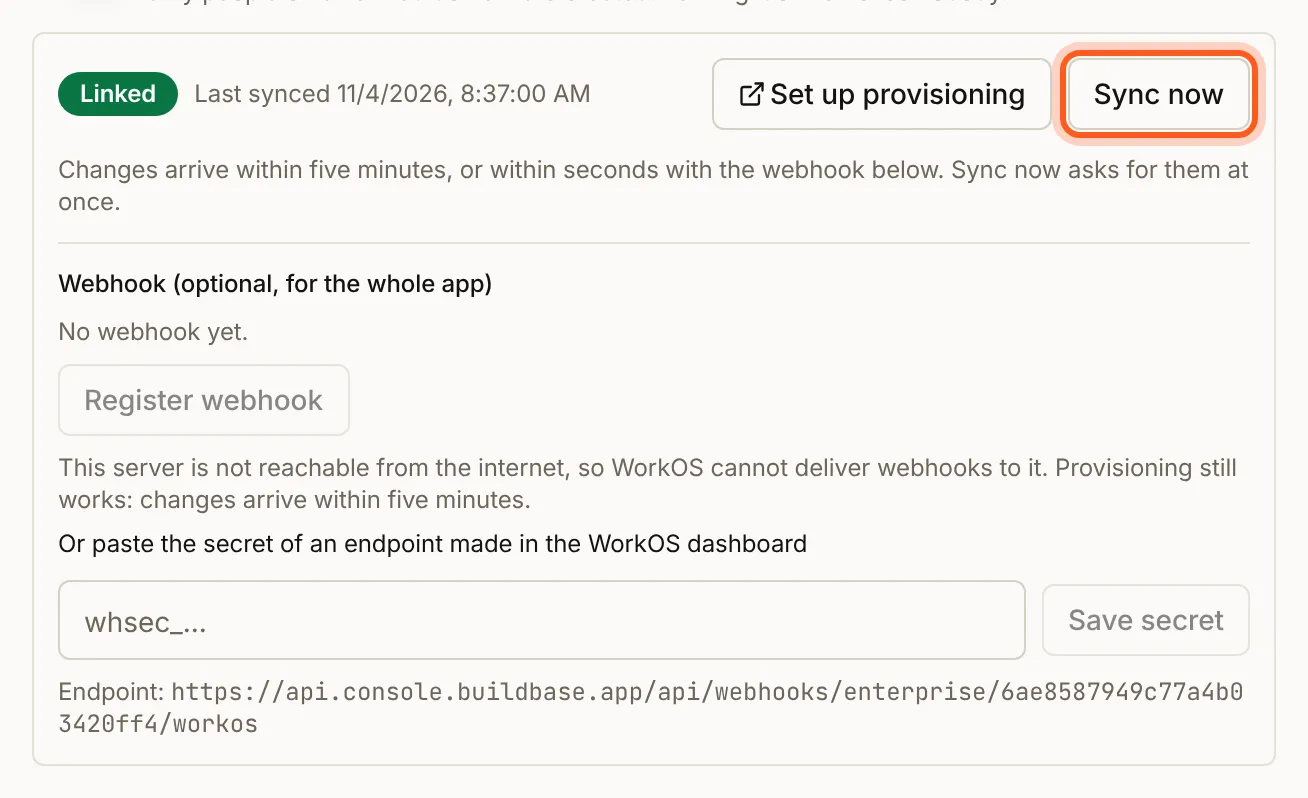
Once the directory is linked, the section reads Linked with the time of the last sync. Changes arrive within five minutes, or within seconds with the optional webhook; Sync now asks for them at once. A Google Workspace directory is read by WorkOS about every 30 minutes, and Sync now asks it to read at most every five minutes (Sync now and Google Workspace).
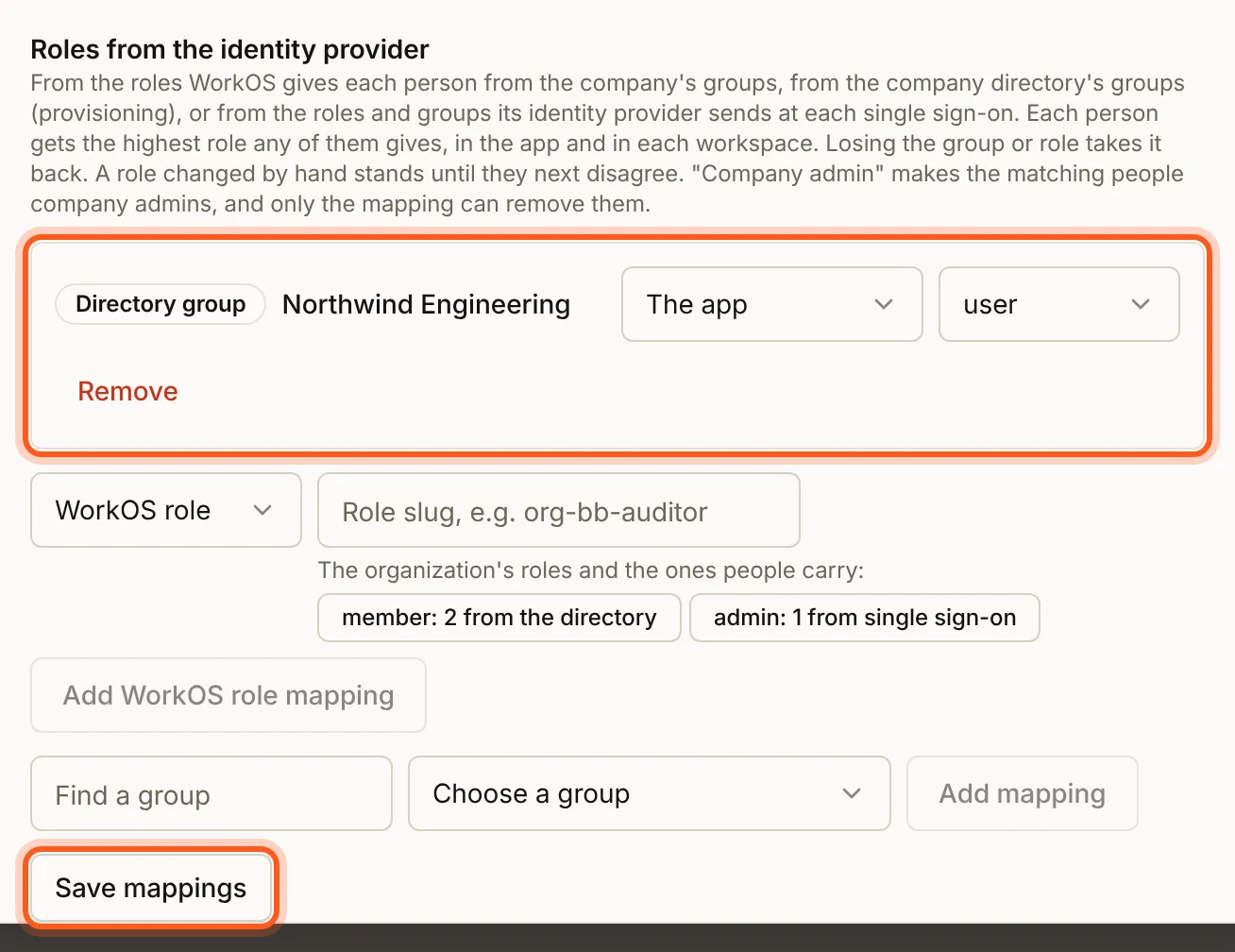
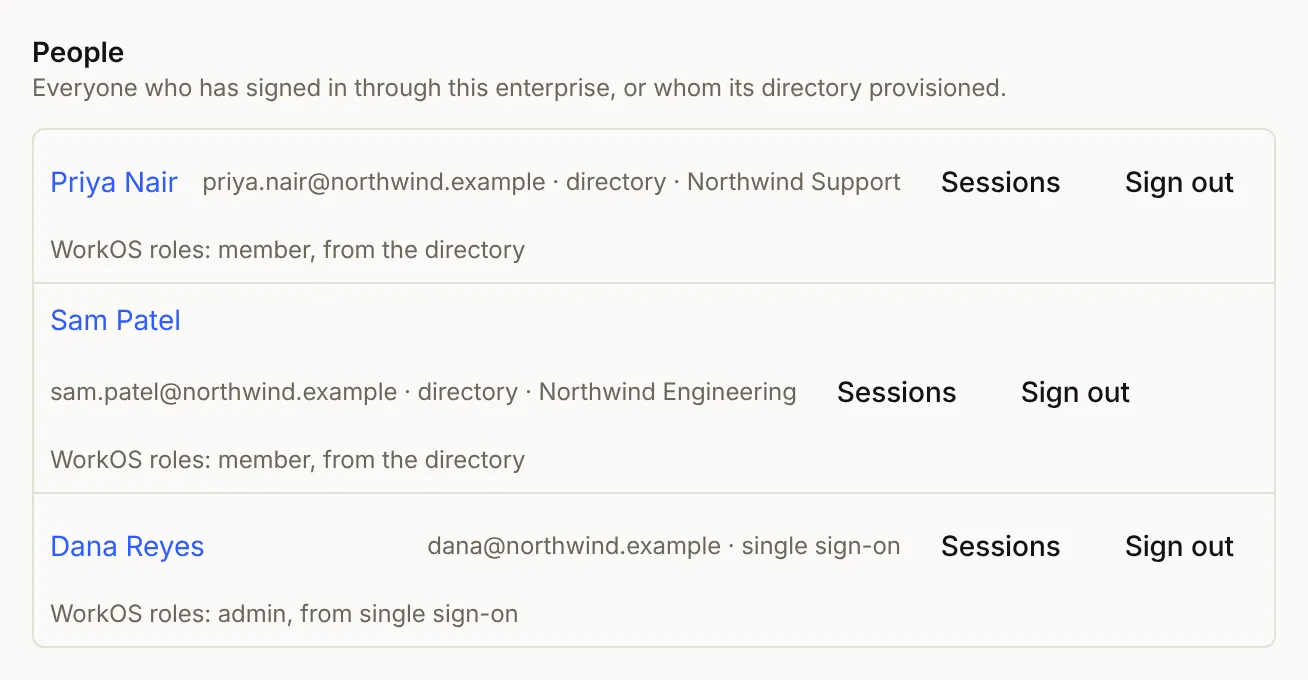
Under Roles from the identity provider, choose a directory group in Choose a group (Find a group narrows the list) and press Add mapping. On the new row, pick what it gives (The app, A workspace or Company admin) and the role, then press Save mappings. Provisioned people join the company's bound Workspaces, and People lists them (choose where people land).
4. Decide whether removed people count
On the Enterprise tab, People the directory removed: someone a company's directory removes is blocked, not deleted. With Count them on they still count toward your plan's end-user limit; off, they stop counting.

Check that it worked
Add a test person to the directory: after Sync now, or within five minutes, they appear in the company's People with the role their groups map to. Remove them, and they are blocked, signed out everywhere and unlinked from single sign-on (what happens when someone leaves).
Things to watch out for
- Only people on a verified domain are created.
- A person in several mapped groups gets the highest role; a group never makes anyone an owner, and a role changed by hand stands until the groups next disagree.
- Provisioned people count toward your plan's end-user limit, removed ones too while Count them is on.
- Turning provisioning on is refused with
402 FEATURE_NOT_IN_PLANwhen your BuildBase plan has no Directory Sync.
Next steps
- Provisioning - what a provisioned person gets, and what happens when someone leaves
- Roles and groups - company roles, groups and WorkOS roles
- Sign-in setup guides - every other way to sign in