
A Company's Activity, Insights and Log Streams
Read and download what a company's people did, see who signs in and who was refused, and stream the company's trail to its own SIEM.
Every company you sell to has an audit trail of its own: sign-ins and refusals, provisioning, setup changes and API keys. You read it on the company's page in the console, the company's admins read the same list in your app, and a log stream sends it to the company's own SIEM. The reference has every entry and field.
Before you start
- A company with Enterprise SSO set up (Enterprise SSO).
- An owner or admin role in the console.
Open the Enterprise tab in the console
(opens the console in a new tab)1. Read the activity
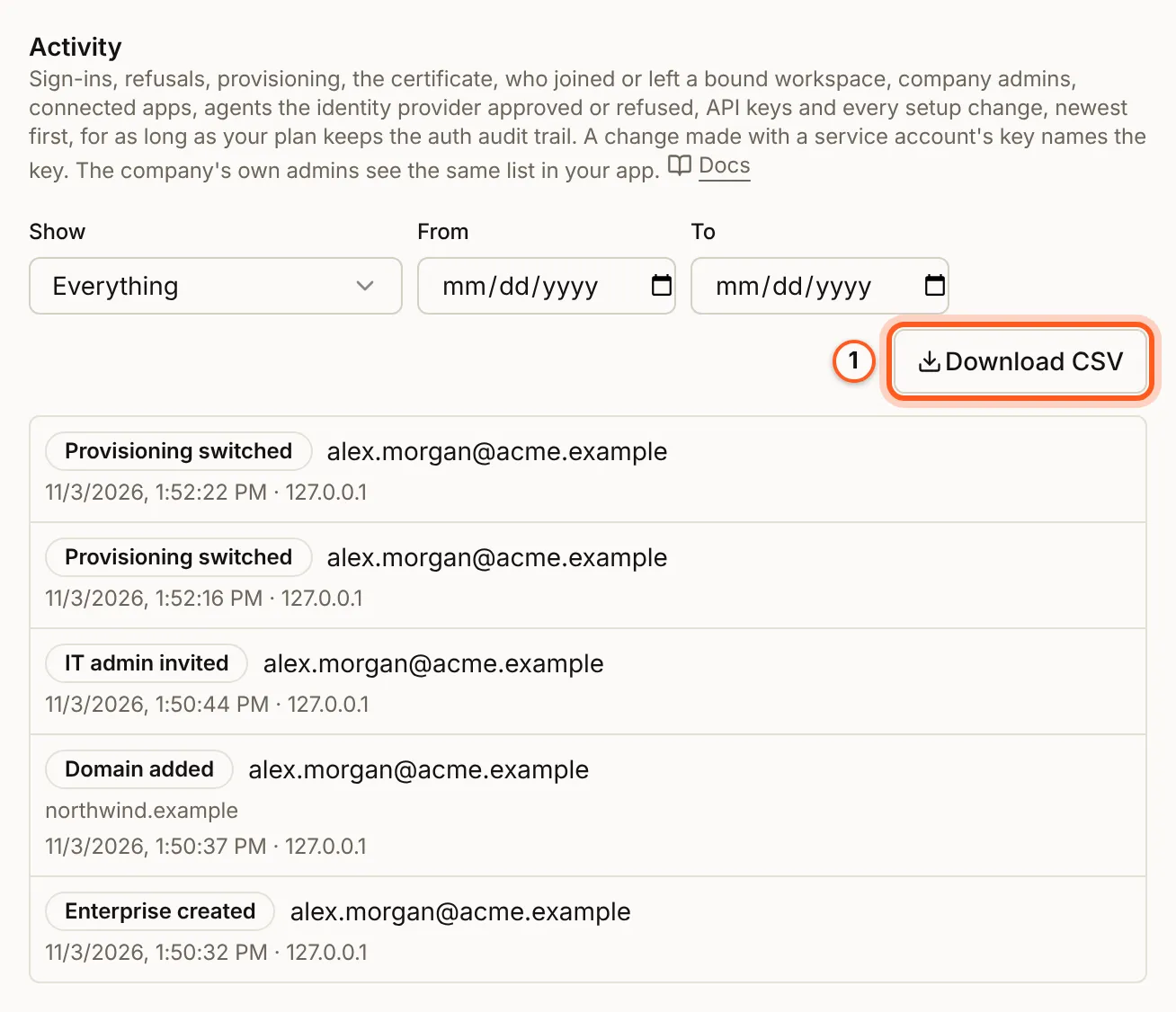
On the Enterprise tab, open the company and scroll to Activity: every entry, newest first, with who did it and from which address. Narrow it with Show, From and To, and press Download CSV for the list as a file.
2. See the insights
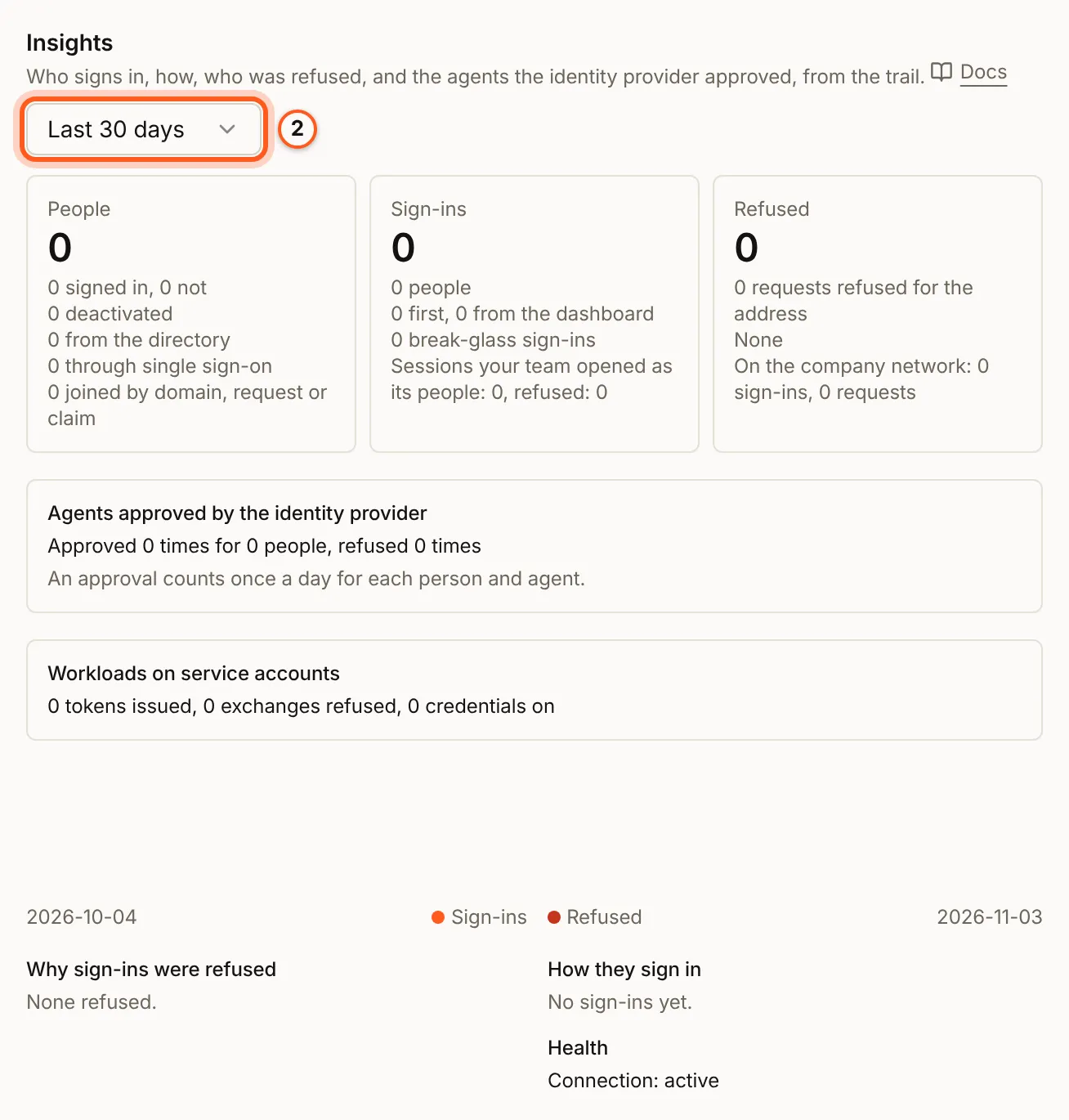
Insights sums up the trail over the last 7, 30 or 90 days: its people, sign-ins and refusals, agents the identity provider approved, workloads on service accounts, why sign-ins were refused and how people sign in (reference).
3. Stream it to the company's SIEM
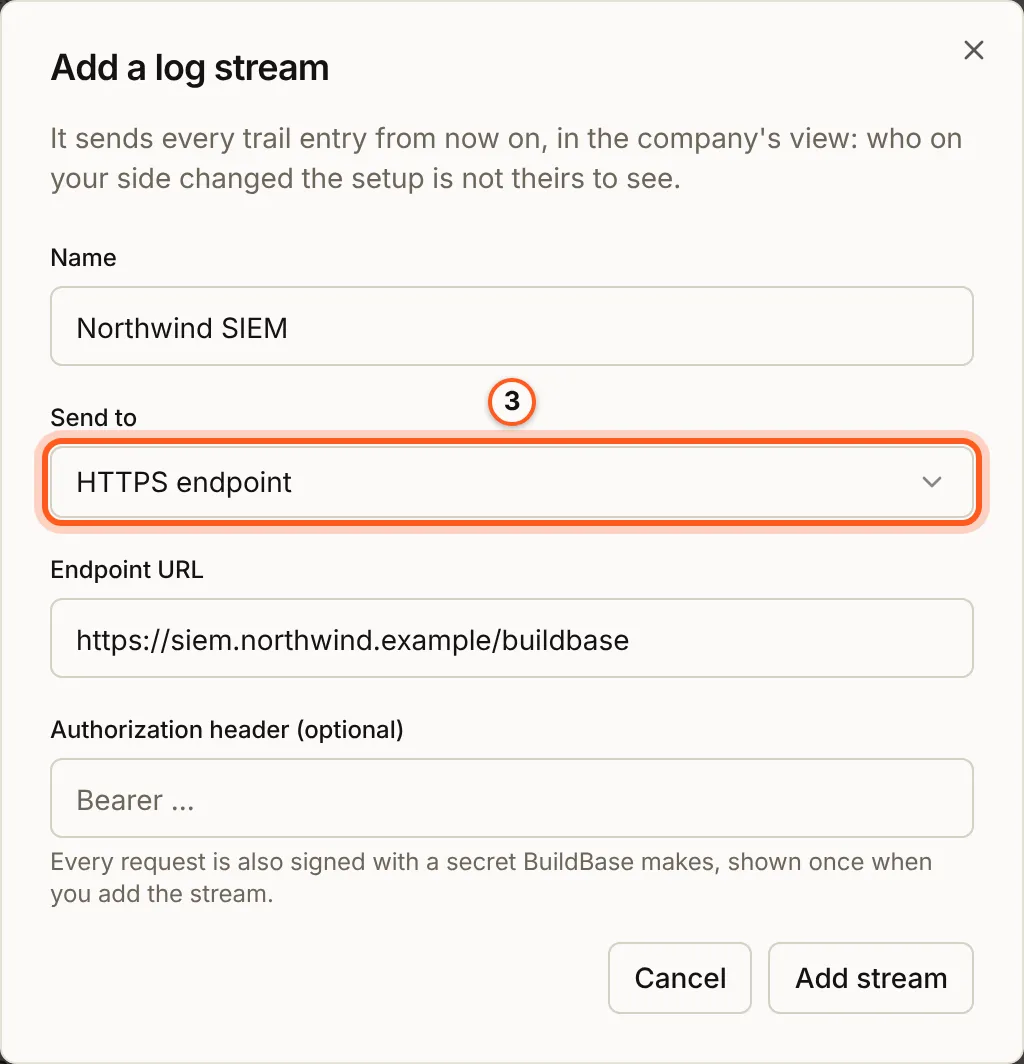
Under Log streams, press Add log stream. Give it a Name, choose where to Send to (an HTTPS endpoint, Datadog or Splunk), fill in its address and key, and press Add stream. It sends every trail entry from then on, in the company's view. Every request is signed with a secret BuildBase makes, shown once when you add the stream; press I have saved it once you have. Send a test event on the stream checks that it arrives.
4. Or keep the trail in WorkOS
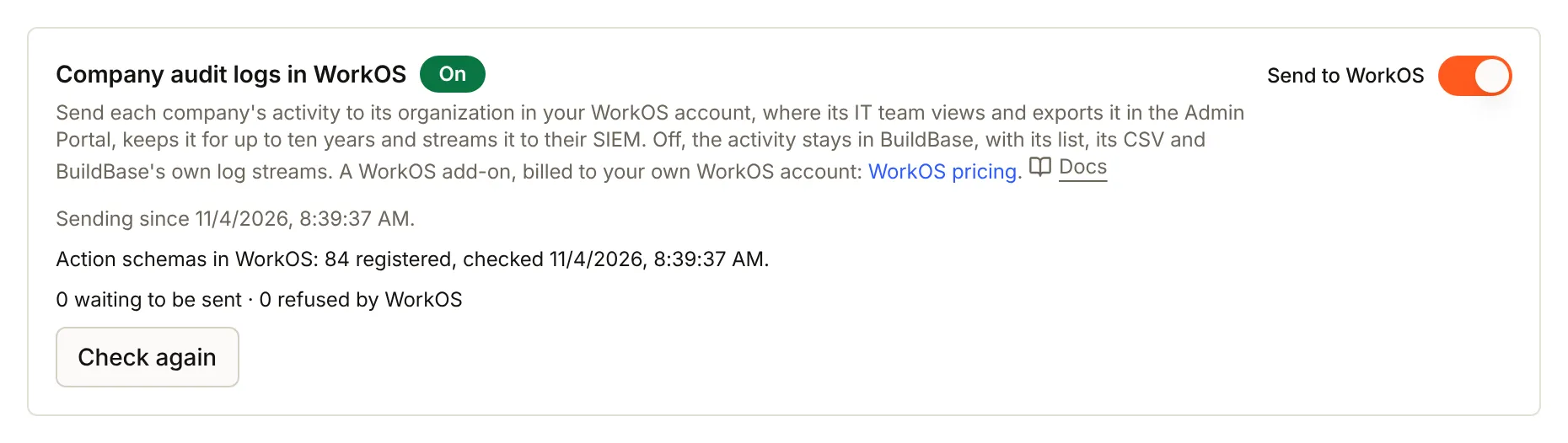
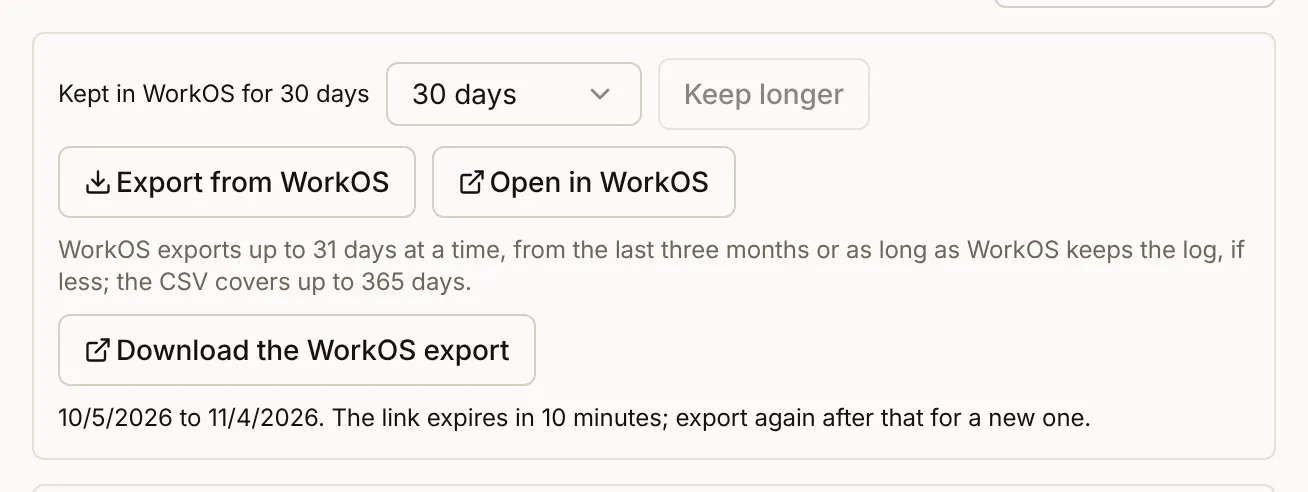
On the Enterprise tab, Company audit logs in WorkOS sends each company's activity to its organization in your WorkOS account instead, where its IT team views and exports it in the Admin Portal and streams it to their SIEM. It is a WorkOS add-on billed to your own WorkOS account. With it on, Activity also offers Export from WorkOS, and new log streams are set up in WorkOS (reference).

Turned on, the section says since when it sends, how many action schemas WorkOS holds, and how many entries are waiting or were refused; Check again reads them again. Activity recorded before then stays in BuildBase only.
Check that it worked
The steps you took setting the company up are its first Activity entries. A stream's Send a test event reports whether the endpoint accepted it.
With company audit logs in WorkOS on, Export from WorkOS under the company's Activity asks WorkOS for up to 31 days and answers with Download the WorkOS export, a link that works for ten minutes; Open in WorkOS opens the same log in WorkOS's viewer. WorkOS holds no entries in that range means nothing has been sent since you turned it on.
Things to watch out for
- A stream's secret is shown once. Save it before you press I have saved it.
- A failing stream is reported in the company's trail and as the
enterprise.log_stream_failingwebhook event (when a stream fails). - WorkOS keeps its trail for its own retention, not your plan's.
Next steps
- The enterprise's audit trail - every entry and what it records
- Log streams to the company's SIEM - each destination's fields
- Sign-in setup guides - every other way to sign in