
Changing a Plan You Already Sell
Change a plan's price or what it includes with a new version, choose what happens to its customers, sync prices, make a free plan or take a plan off sale.
A published plan version is never edited in place: what customers bought stays what they bought. To change a price, a limit or what a plan includes, you make a new version from the published one, change it, and publish it. What happens to the customers on the old one is the plan's own setting, and the console shows who moves, when and at what price before anything starts. New customers buy the version your pricing group lists, so the last step puts the new version there.
Before you start
- A plan with a published version and at least one subscriber (Billing setup).
- A console role that can update plans and create plan versions.
1. Choose what happens to current customers
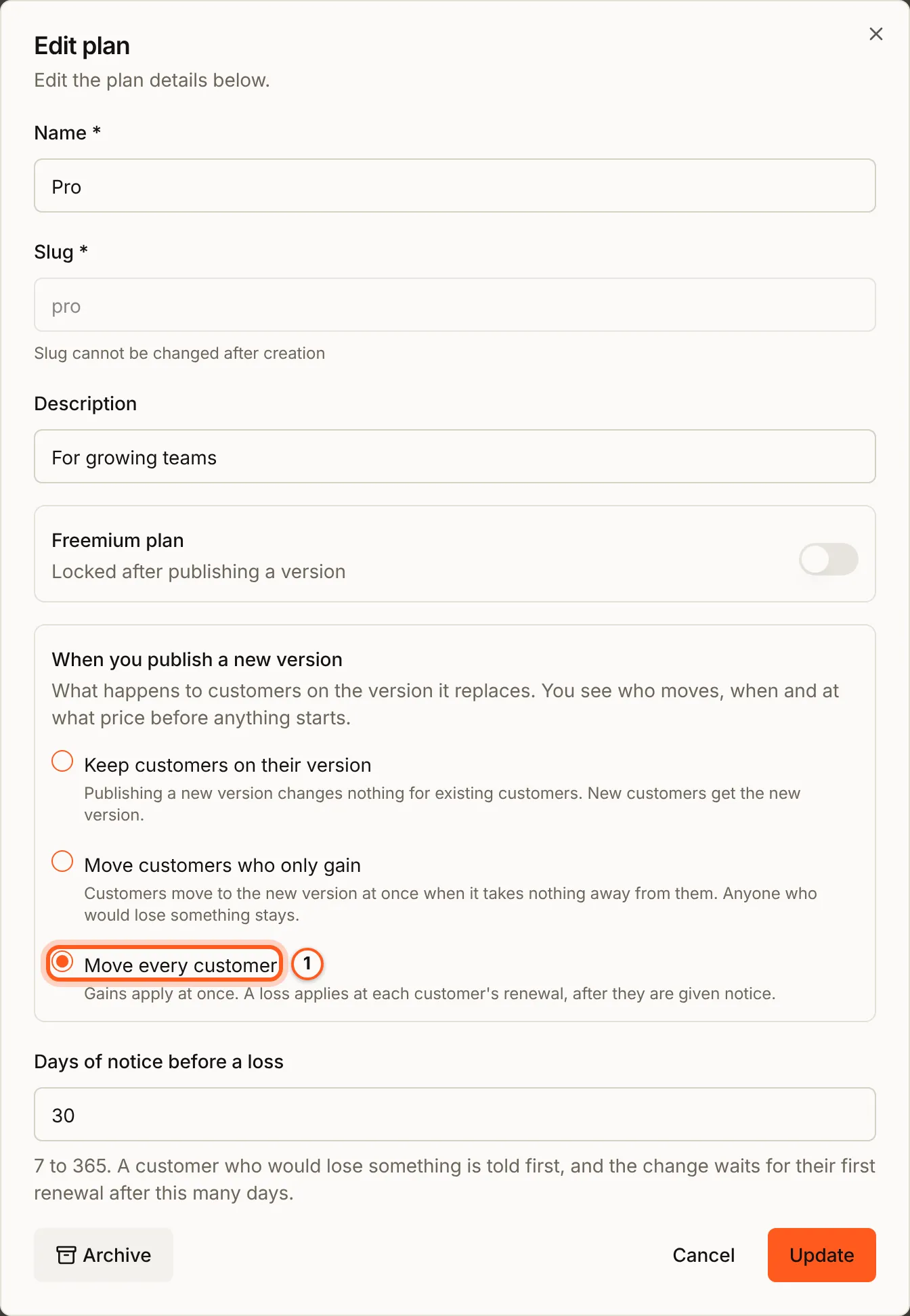
Open plans in the console (opens the console in a new tab)In the Billing menu choose Plans, and press Edit on the plan's row. When you publish a new version has three choices:
- Keep customers on their version: publishing changes nothing for existing customers.
- Move customers who only gain: customers move at once when the new version takes nothing away from them. Anyone who would lose something stays.
- Move every customer: gains apply at once; a loss applies at each customer's renewal, after Days of notice before a loss.
Press Update.
2. Create a version from the published one
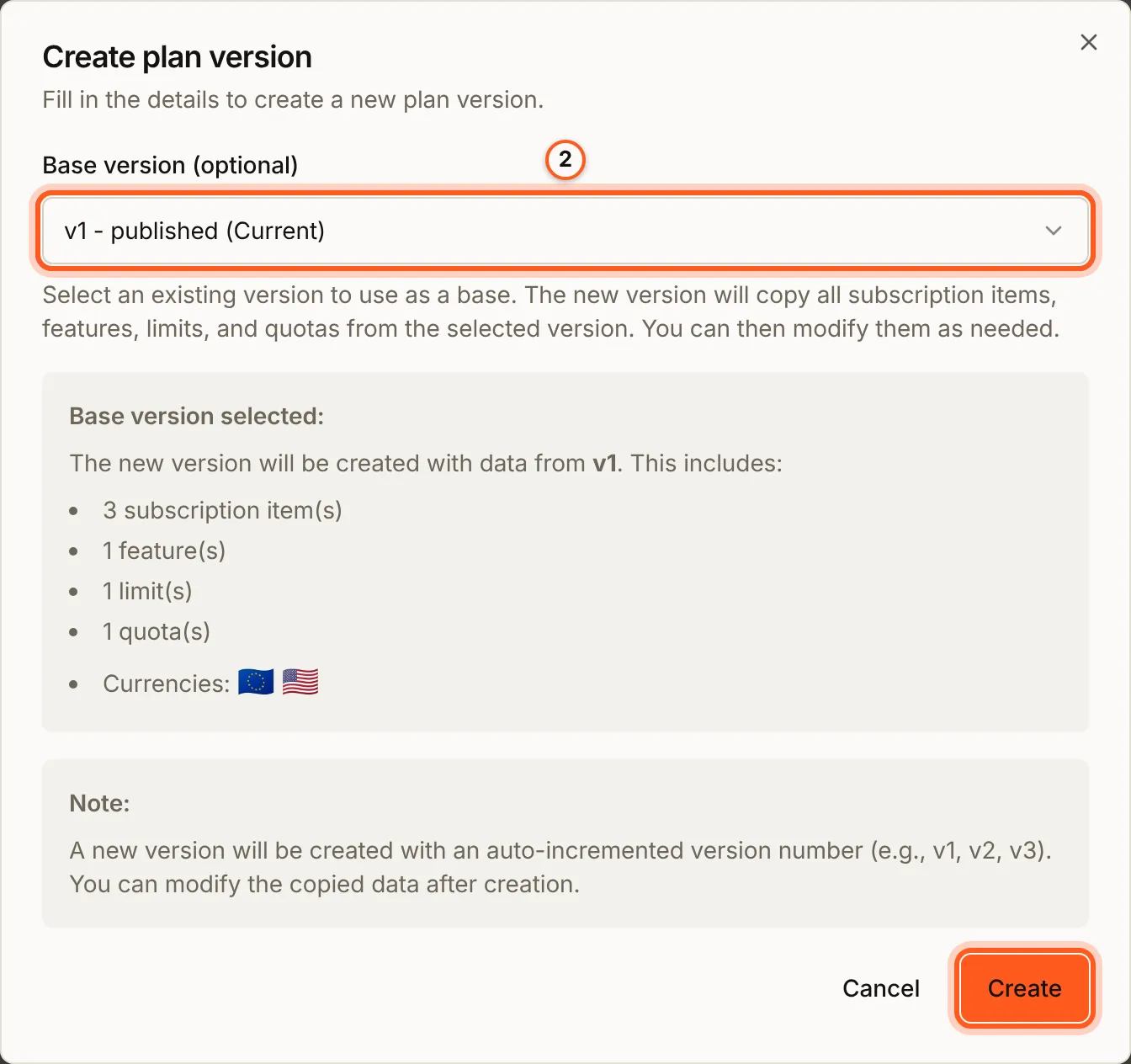
Press Manage versions on the plan's row, then Create version. In Base version (optional) choose the published version: the new one copies its products, features, limits and quotas. Press Create.
3. Change the draft
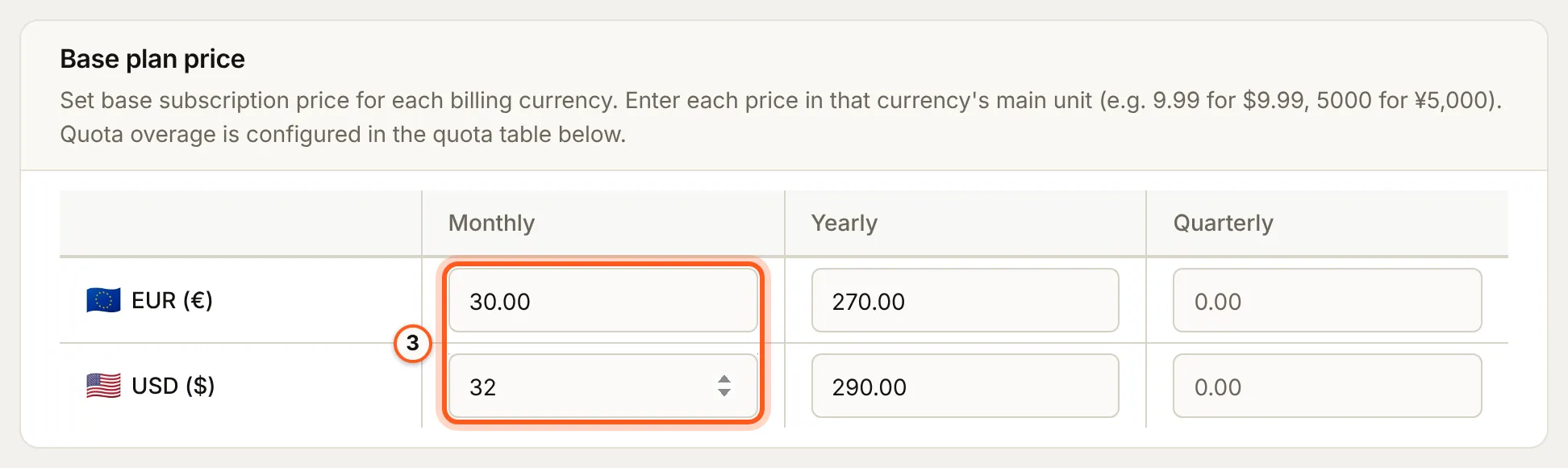
Press Edit on the new draft and make the change, here a higher monthly price in each currency. Press Save changes.
4. Publish it
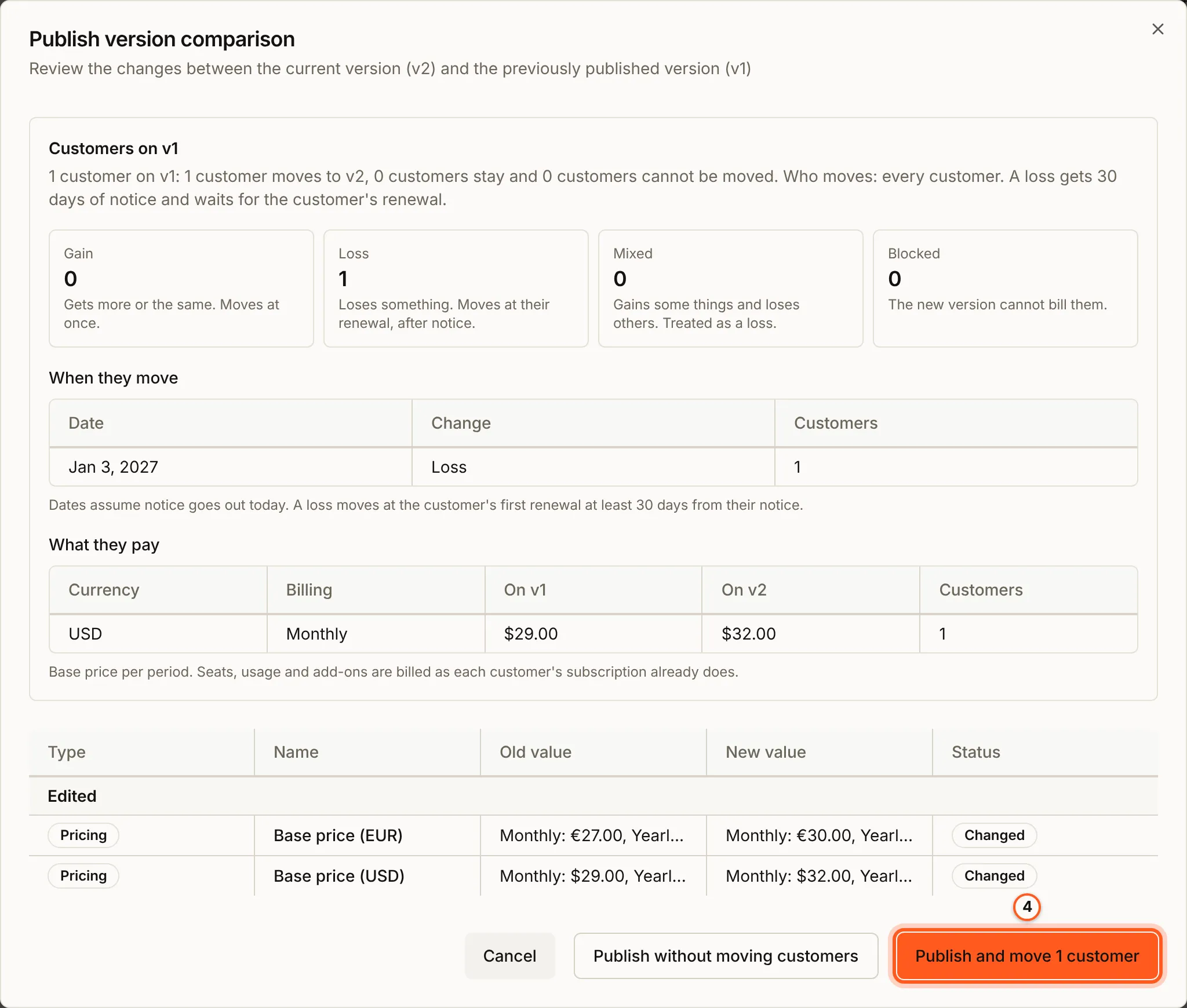
Press Publish version. Publish version comparison shows what changes, and, with version moves on, what happens to the customers on the version it replaces:
- each customer is a Gain (gets more or the same, moves at once), a Loss (loses something, moves at their renewal after notice), Mixed (treated as a loss) or Blocked (the new version cannot bill them);
- When they move gives the dates, and What they pay the price before and after.
Press Publish and move to start the move with the publish, or Publish without moving customers to leave them where they are.
5. Put it on your pricing page
Your pricing page lists the plan versions the current version of your pricing group names, so it keeps selling the old version until you change the group. In Billing > Pricing groups, press Manage versions on the group, Create version from its published version, replace the old plan version with the new one under Plan versions, and publish it (Your pricing group).
Version moves
On Manage versions, press Version moves. The page repeats the plan's setting and shows each move its publishes started: who moves, from which version to which, with how much notice, and how far it has got. Each customer in it is Moved, Scheduled (waiting for their renewal after notice), Waiting, Moving now, Blocked, Needs a person or Not moved; Customers to look at names the ones that need you. Every customer in this move lists them one by one, and Cancel move stops the customers not moved yet from moving.
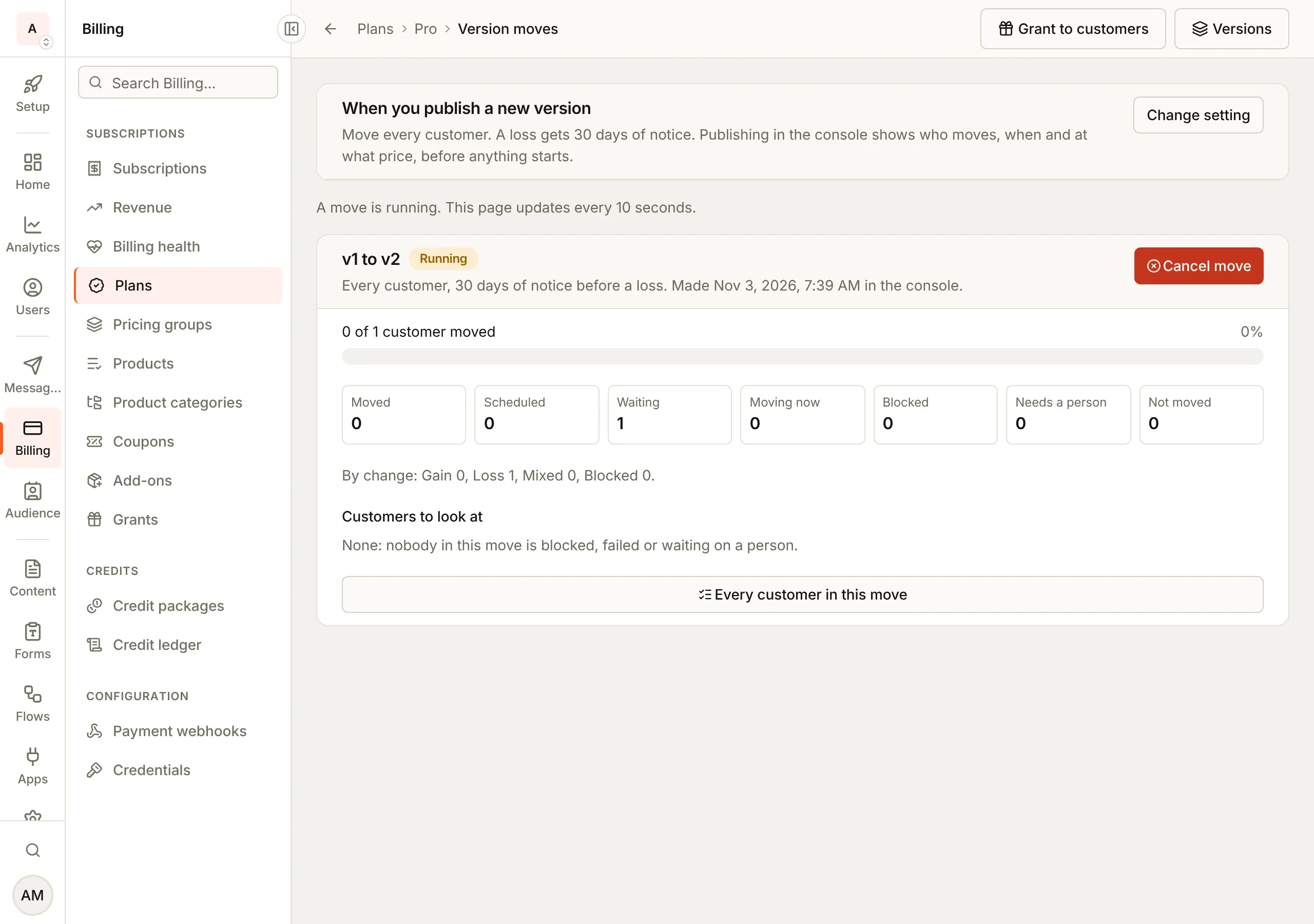
A move delayed past its window is listed under Billing > Billing health, Version moves delayed past their window. The Version moves switch on the Billing versioning card stops every move while it is off (Billing versioning switches).
Prices for a plan published before Stripe was connected
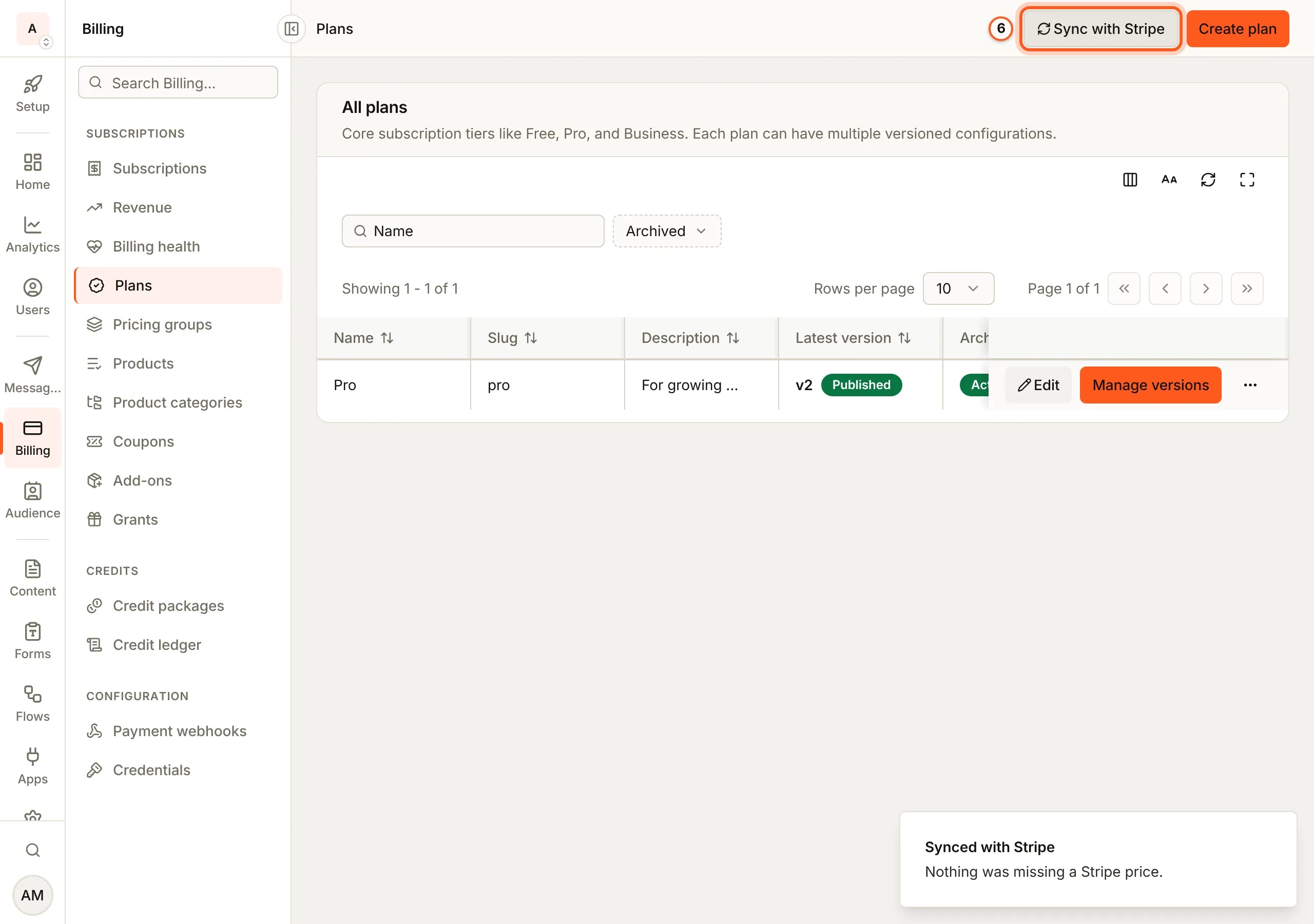
Sync with Stripe, on Plans, makes the Stripe prices any published version is missing, such as one published before Stripe was connected. Its message says what it did: "Nothing was missing a Stripe price" when there was nothing to do, "Some prices could not be created" when Stripe refused one, and "Another sync is still running" when one already is.
A free plan
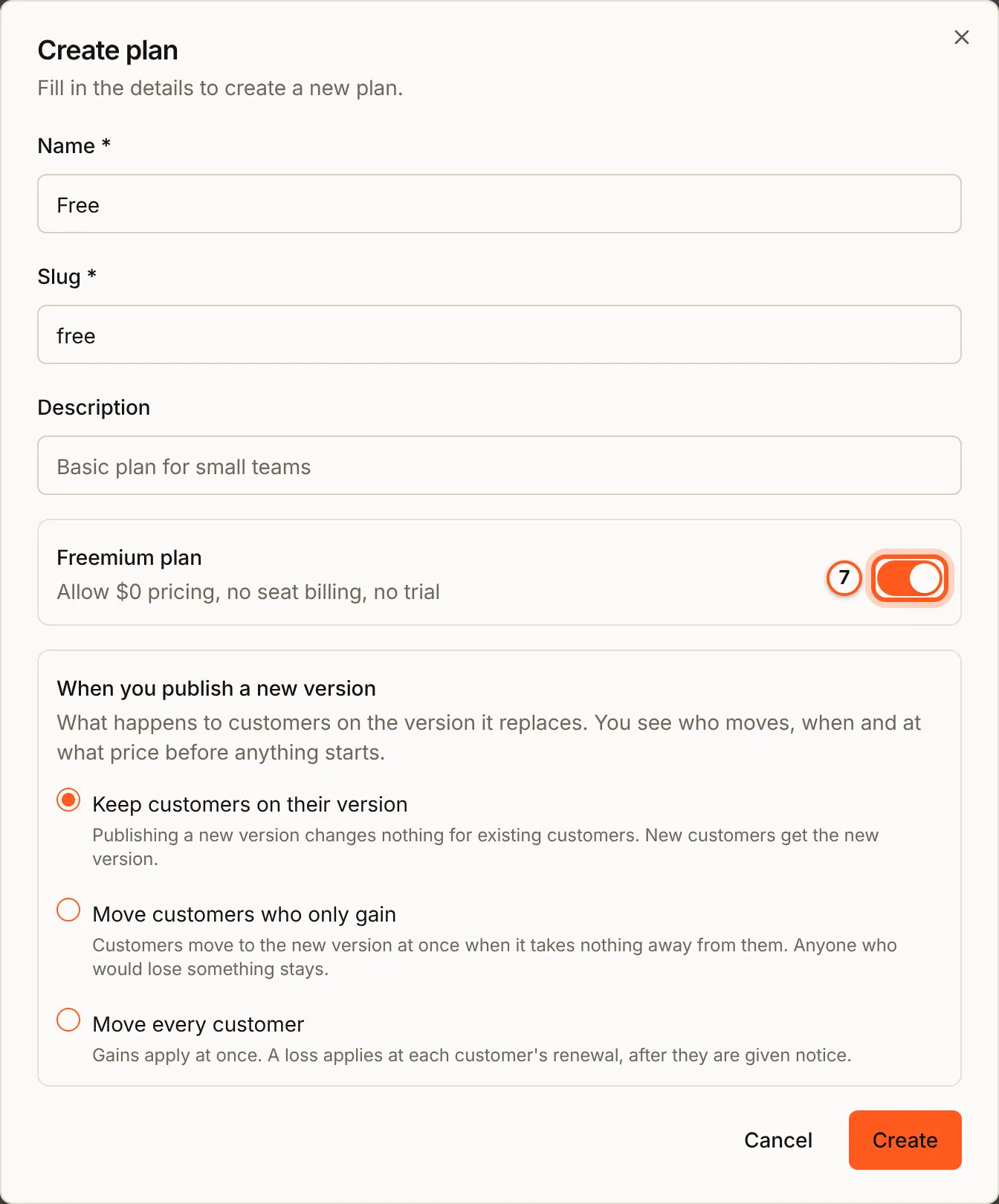
A free plan is a plan with Freemium plan on when you create it: "Allow $0 pricing, no seat billing, no trial". Its version can then be priced at 0. The switch is locked once a version is published, so turn it on before.
Taking a plan off sale
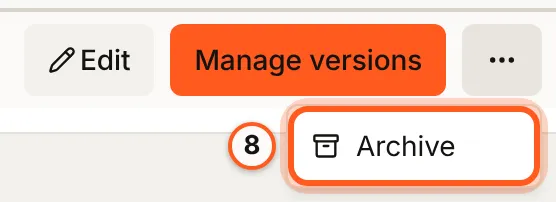
Press More actions on the plan's row, then Archive, and confirm. An archived plan leaves your pricing pages and new checkouts; its subscribers keep it (Archiving plans).
Check that it worked
Manage versions lists the new version as Current and the one it replaced as Legacy. Customers you chose to move reach Moved on the Version moves page, and your pricing page offers the new version once the pricing group's new version is published.
Things to watch out for
- A published version is never edited in place. A change to it is refused with
VERSION_REQUIRED: make a new version. - The pricing page follows the pricing group, not the plan. Until a new group version lists the new plan version, new customers still buy the old one.
- A loss waits. It reaches a customer only at their renewal, at least the notice days after their notice.
- Freemium plan is locked after the first publish.
- Archiving is refused while the current version of a pricing group sells the plan, or while it is the free plan new workspaces start on (
PLAN_IS_DEFAULT_FREE). - Version moves off (
VERSIONING_MOVES_OFF) stops every move until it is on again.
Next steps
- Managing subscriptions - move one customer to a version yourself with Change plan
- Your pricing group - put the new version on your pricing page
- Billing overview - plan changes your customers make themselves