
Let your users connect Windsurf to your app
Give your users the mcp_config.json entry for Windsurf, now documented as Devin Local, and make sure it can register and sign them in to your app.
This page is part of Agent-ready apps: it covers what you do so that your own users can connect Windsurf's agent to the app you built with BuildBase. Your app serves MCP with @buildbase/sdk, and each user signs in on your hosted sign-in page and approves the agent as themselves.
Note
Want to manage BuildBase itself from your AI? See Use BuildBase in Windsurf, in BuildBase in your AI tools.
Windsurf's MCP documentation now redirects to Devin's, where the desktop agent is called Devin Local. The examples use https://app.example.com/api/mcp, the default path createAgentStack serves, and the name acme.
Before you share the URL
-
Let agents register themselves. Windsurf registers its own client when it first connects. Turn on Let agents register themselves with a base client in Set up agent access.
-
Serve MCP on HTTPS. The agent connects from the user's machine.
-
Check it the way a client does:
npx buildbase agent doctor --url https://app.example.com/api/mcp
What your users do
Put these steps on your own help page, with your URL:
-
Add the server to
~/.config/devin/mcp_config.json(%APPDATA%\devin\mcp_config.jsonon Windows), or to.devin/mcp_config.jsonin one project:{ "mcpServers": { "acme": { "url": "https://app.example.com/api/mcp", "transport": "http" } } } -
Open the Customize page, choose the MCPs tab, and check that
acmeis under This computer. -
Use one of its tools, then sign in on your sign-in page and approve the agent on your consent screen.
What your users see
- Your sign-in page in their browser, then your consent screen naming the agent and the scopes it asks for.
- A prompt before every tool call, by default. Users can allow single tools or a whole server in the agent's MCP permissions, so mark your read tools
readOnlyHint: trueand name them plainly. - Needs authentication on the server when its sign-in expires; Authenticate runs the browser sign-in again.
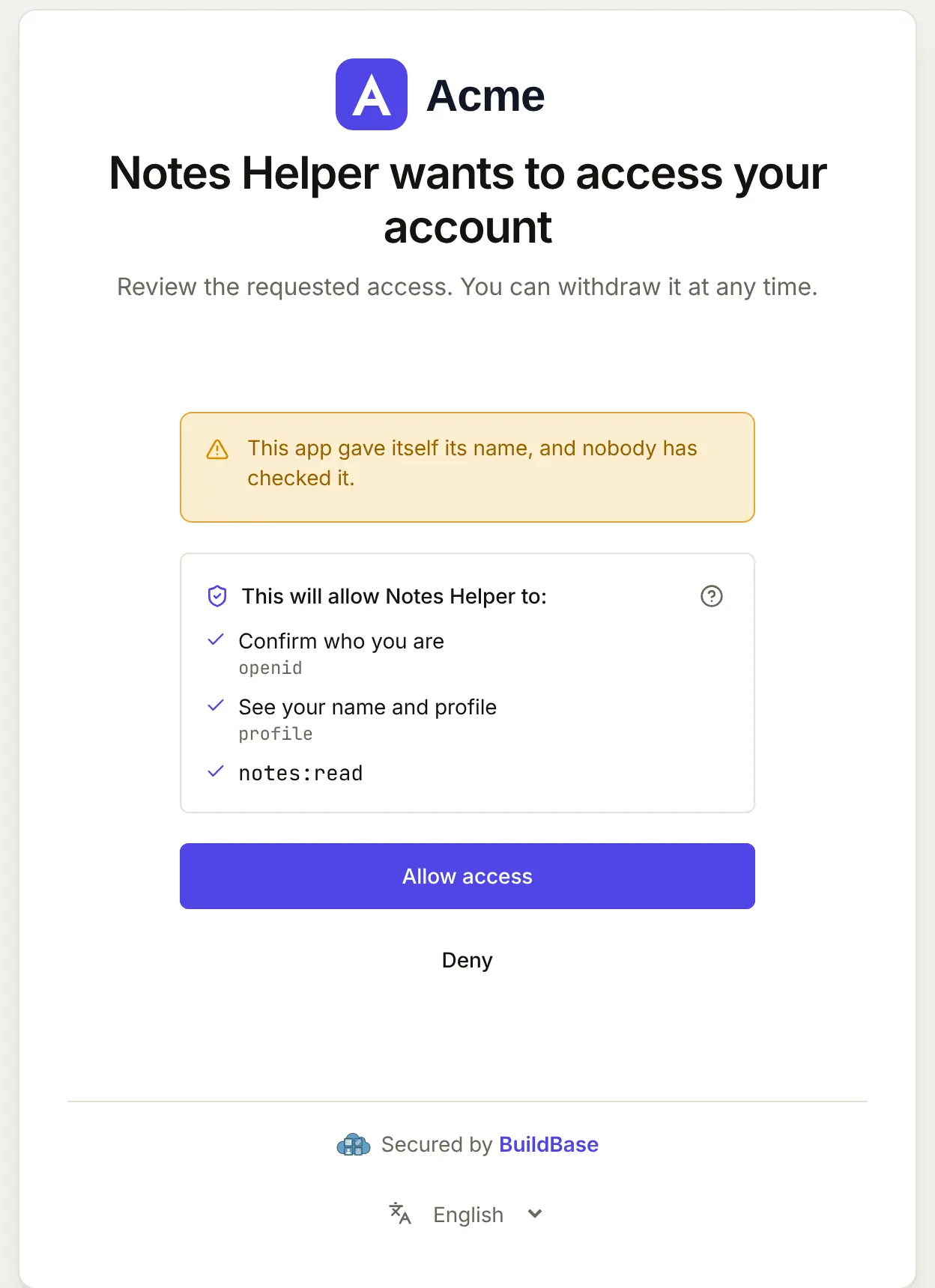
When Windsurf connects, your user approves it on your consent screen. Here it is for an agent that registered itself:
What differs in Windsurf
- The key is
url. Devin's current configuration documentsurl, withtransportset tohttp(Streamable HTTP) orsse. If your docs showserverUrlfrom an older Windsurf guide, check it against the current documentation. - Admins choose registries. On a team, an admin manages the MCP registries offered under MCP & ACP. Users on such a team may need an admin to allow your server.
- One session per client. Each MCP client keeps its own sign-in to your app, so a user who also uses Devin CLI signs in there separately.
If something goes wrong
| What your user sees | Why | What to do |
|---|---|---|
| Sign-in never opens, or fails at once | Let agents register themselves is off, or no base client | Turn it on with a base client in agent access |
| The server is missing under This computer | The file is in the wrong path, or the JSON does not parse | Check the path and the JSON |
| Needs authentication keeps coming back | The stored sign-in is no longer accepted by your server | Choose Authenticate to sign in again; check your server's logs for why it refused |
Related
- Connect an agent to your app: every client on one page, the MCP Registry, and agents in code.
- Let your users connect Cursor to your app and Let your users connect VS Code to your app.
- Use BuildBase in Windsurf: the same client in BuildBase in your AI tools.
- Devin's own guide: MCP in Devin Local.
Frequently asked questions
- Is there an install link for Windsurf?
- Not one its docs describe. Give your users the mcp_config.json entry, and the menu where they check it is loaded.
- Which key holds the URL, url or serverUrl?
- Devin's current MCP configuration documents url, with an optional transport of http or sse. Older Windsurf guides used serverUrl; follow the current documentation.
- Can a team share the entry?
- Yes. A project's .devin/mcp_config.json is meant to be committed. It holds only your URL, so each person still signs in to your app as themselves.