
Let your users connect Cline to your app
Get your app's MCP server ready for Cline, give your users the streamableHttp entry for cline_mcp_settings.json, and let them authorize it.
This page is part of Agent-ready apps: it covers what you do so that your own users can connect Cline to the app you built with BuildBase. Your app serves MCP with @buildbase/sdk, and each user signs in on your hosted sign-in page and approves Cline as themselves.
Note
Want to manage BuildBase itself from your AI? See Use BuildBase in Cline, in BuildBase in your AI tools.
The examples use https://app.example.com/api/mcp, the default path createAgentStack serves, and the name acme.
Before you share the URL
-
Serve MCP over HTTPS at a URL your users' machines can reach.
-
Let agents register themselves with a base client in Set up agent access.
-
Check it the way a client does:
npx buildbase agent doctor --url https://app.example.com/api/mcp
What your users do
Put this entry on your help page. Users add it under Cline's Remote Servers tab, or in cline_mcp_settings.json:
{
  "mcpServers": {
    "acme": {
      "type": "streamableHttp",
      "url": "https://app.example.com/api/mcp",
      "disabled": false,
      "autoApprove": []
    }
  }
}
In the Cline CLI, they then choose Authorize OAuth in the add-server wizard and sign in on your sign-in page.
What your users see
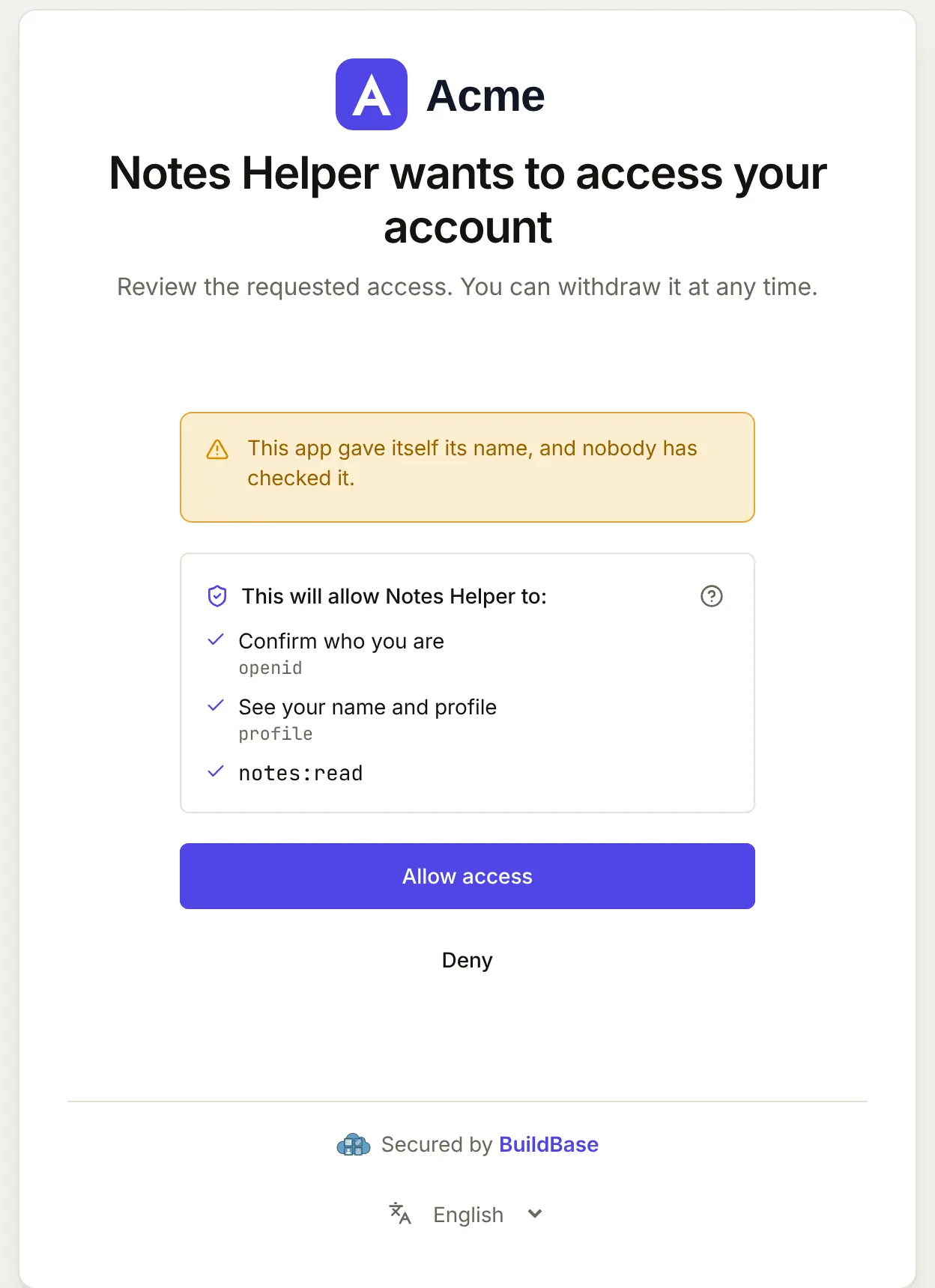
- Your sign-in page and consent screen, naming the client as it registered itself.
- A prompt before each tool call, unless the tool is in
autoApprove. Name your tools clearly and mark read toolsreadOnlyHint: true, so users know which ones are safe to approve ahead.
When Cline connects, your user approves it on your consent screen. Here it is for an agent that registered itself:
If something goes wrong
| What your user sees | Why | What to do |
|---|---|---|
| The server stays disconnected | The entry has no "type": "streamableHttp" | Put the type in the entry you publish |
| Authorize OAuth fails before your page | Let agents register themselves is off, or no base client | Turn it on with a base client in agent access |
| Calls time out | Your tool takes longer than Cline's MCP timeout | Make the tool faster, or tell users to raise the timeout |
| Cline lists fewer tools than you defined | Tools that need a scope the token lacks are hidden | Ask for the scope at sign-in, or drop requiredScopes from the tool |
Related
- Connect an agent to your app: every client on one page, the MCP Registry, and agents in code.
- Let your users connect VS Code to your app and Let your users connect Goose to your app.
- Use BuildBase in Cline: the same client in BuildBase in your AI tools.
- Cline's own guide: configuring MCP servers.
Frequently asked questions
- What type should the entry for my app use?
- streamableHttp. Cline treats a remote entry with no type as the older SSE transport, while the SDK's MCP handler is a Streamable HTTP server.
- Should my users auto-approve my tools?
- Only tools that read. Cline runs a tool listed in autoApprove without asking, so keep tools that change data out of it and mark your read tools with readOnlyHint.
- Does Cline sign my users in with OAuth?
- Yes. The Cline CLI's add-server wizard offers Authorize OAuth, which opens your hosted sign-in page in the browser, once your app lets agents register themselves.