
Let your users connect Codex to your app
Give your users the config.toml entry that adds your app's MCP server to Codex, the login command, and what to check so OAuth sign-in works.
This page is part of Agent-ready apps: it covers what you do so that your own users can connect Codex to the app you built with BuildBase. Your app serves MCP with @buildbase/sdk, and each user signs in on your hosted sign-in page and approves Codex as themselves.
Note
Want to manage BuildBase itself from your AI? See Use BuildBase in Codex, in BuildBase in your AI tools.
The examples use https://app.example.com/api/mcp, the default path createAgentStack serves, and the name acme.
Before you share the URL
-
Let Codex get a client. Turn on Let agents register themselves, with a base client, in Set up agent access, so Codex can register itself when a user signs in.
-
Answer quickly. Codex waits 10 seconds for a server to start and 60 seconds for a tool. A long job should return an id and let a second tool read the result.
-
Check it the way a client does:
npx buildbase agent doctor --url https://app.example.com/api/mcp
What your users do
Put this on your own help page, with your URL. In ~/.codex/config.toml:
[mcp_servers.acme]
url = "https://app.example.com/api/mcp"
Then sign in:
codex mcp login acmeTheir browser opens your sign-in page; on a machine with no browser, --no-browser prints a link to open elsewhere.
What your users see
- Your sign-in page, with your branding and sign-in methods.
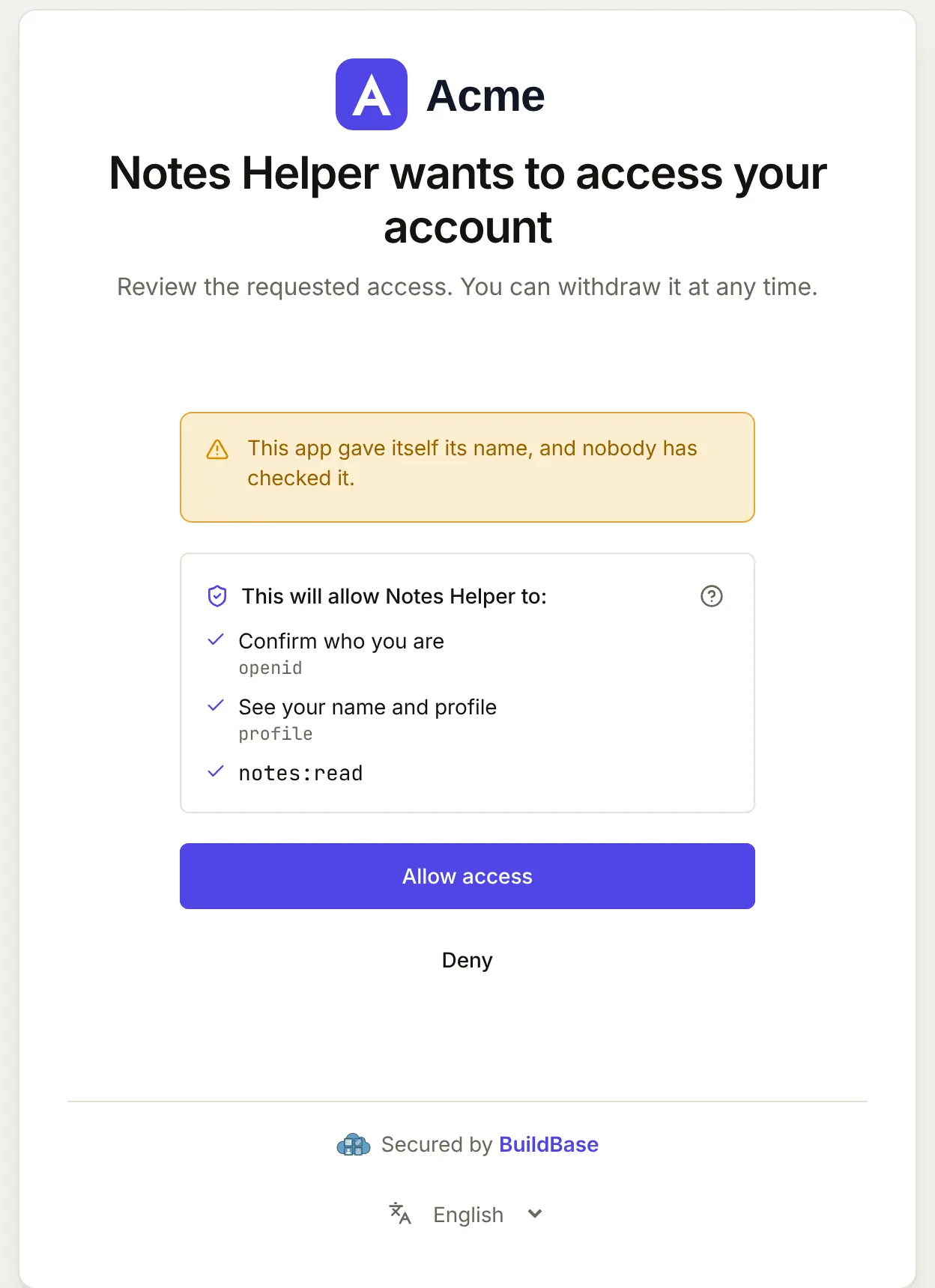
- Your consent screen, naming the client and the scopes it asks for. A self-registered agent chooses its own name, so it is shown as unverified.
- The same tools in three apps: the CLI, the IDE extension and the ChatGPT desktop app read the same file.
When Codex connects, your user approves it on your consent screen. Here it is for an agent that registered itself:
What differs in Codex
- No install link. Your page gives the TOML entry and the login command.
- OAuth is the default for a remote server;
bearer_token_env_varis for a user's own scripts, never for a person, so do not tell users to paste a token. - Per-tool output limits. A user can set
output_token_limitper tool; keep your answers small and paged.
If something goes wrong
| What your user sees | Why | What to do |
|---|---|---|
| Tools fail with an authorization error | They have not signed in yet | codex mcp login acme |
| Sign-in fails before your page opens | Self-registration is off, or no base client | Turn it on with a base client in agent access |
| A tool times out | It took longer than 60 seconds | Return an id and read the result with a second tool |
| Codex sees fewer tools than you defined | Tools that need a scope the token lacks are hidden | Ask for the scope at sign-in, or drop requiredScopes from the tool |
Related
- Connect an agent to your app: every client on one page, the MCP Registry, and agents in code.
- Let your users connect Claude Code to your app and Let your users connect ChatGPT to your app.
- Use BuildBase in Codex: the same client in BuildBase in your AI tools.
- OpenAI's own guide: MCP in Codex.
Frequently asked questions
- Which Codex apps read the entry?
- The Codex CLI, the Codex IDE extension and the ChatGPT desktop app all read ~/.codex/config.toml, so one entry connects all three to your app.
- How does a user sign in?
- They run codex mcp login with your server's name. Their browser opens your hosted sign-in page and your consent screen; --no-browser prints a link instead.
- What if my tools are slow?
- Codex gives a tool 60 seconds by default. A user can raise tool_timeout_sec in the entry, but a tool that answers quickly, or starts a job and returns its id, works for everyone.