
Publish a newsletter archive
Give a public unsubscribe group its own web page listing past issues, with an RSS feed and a double opt-in subscribe box.
A newsletter archive is a public page that lists the campaigns you sent to one unsubscribe group, newest first, each opening its web version. It carries an RSS feed and a subscribe box. The archive is off by default, and nothing appears on it until you turn it on for a group and publish individual campaigns to the web.
/n/<orgId>/<address>              the list of past issues
/n/<orgId>/<address>/<campaignId> one issue
/n/<orgId>/<address>/feed.xml     the RSS feed
/n/<orgId>/<address>/sitemap.xml  a sitemap, only when search engines may index it
The pages are served from the console's address, https://console.buildbase.app on BuildBase's cloud.
Before you start
You need an unsubscribe group marked Public group, and campaigns sent with a template in that group. Groups are managed on the Unsubscribe groups page of the console.
Turn on the archive
- Open the group's Edit dialog.
- Under Public archive, give it an Archive address, such as
weekly-notes. It is saved as a slug and becomes the last part of the URL. - Tick Publish the archive and save. Open the archive then links to the page.
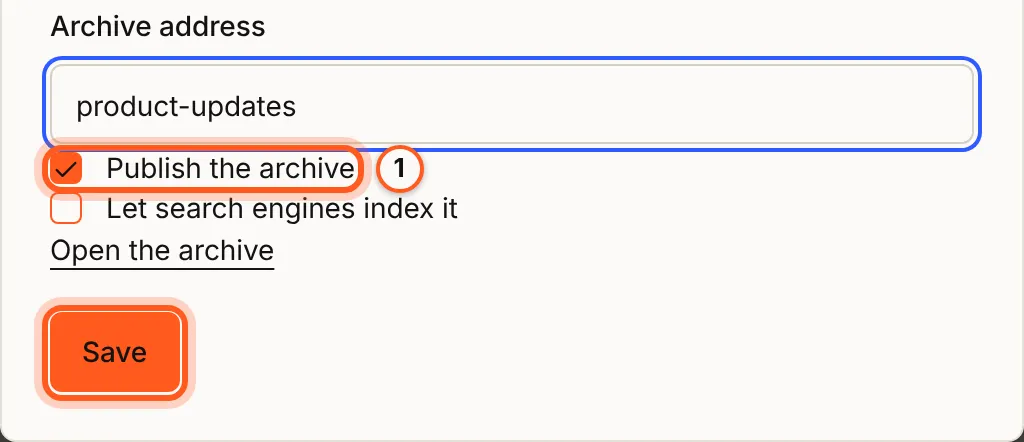
Only a public group can have an archive, and the archive needs an address before it can be turned on. Each address is used once in your organization.
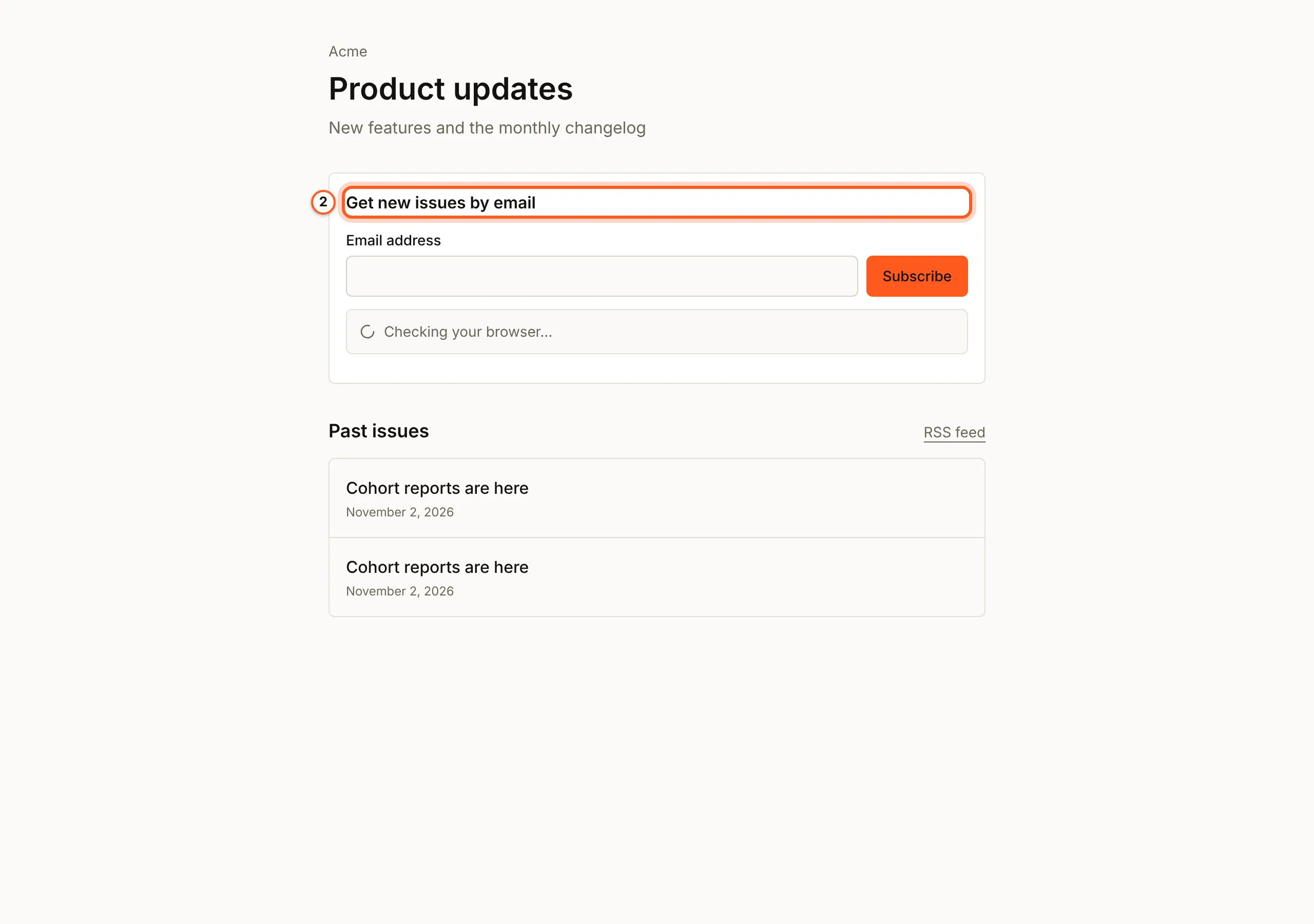
Choose which issues appear
Turning the archive on publishes no campaign by itself. Each campaign has a Web version switch on its page: turn it on to publish that campaign as a public page once it is sent. An issue is listed only when all of these hold:
| Condition | Why |
|---|---|
| Its Web version is on | You chose to publish it |
| It has finished sending | Drafts, scheduled and failed campaigns never appear |
| It was sent with a template in the group | It belongs to this newsletter |
Turning a campaign's web version off removes it from the list and its issue page stops being served. The pages are cached for 60 seconds, so a withdrawn issue can take up to a minute to disappear.
An issue page shows the campaign as sent, with every merge tag left empty and no
tracking, so no recipient's personal details appear on it. Use the
{{view_in_browser}} merge tag to put a "View in browser" link in the email
itself.
The list shows 20 issues a page, each with its subject, the preview text from the top of the template and the date it was sent.
Search engines
The archive is noindex unless you tick Let search engines index it in the
same dialog. When you do:
- the first list page and every issue page may be indexed; later list pages never are
sitemap.xmllists the archive and its issues; without indexing it answers404- the RSS feed of an archive that is not indexable carries
X-Robots-Tag: noindex
The subscribe box
The list page has a Get new issues by email box. It uses double opt-in: the person gets one email asking them to confirm, and joins your audience as pending until they click the link. A contact who has already confirmed is left as is.
The box answers with the same message whatever happens to the address, so it reveals nothing about who is already subscribed. It is rate-limited per visitor and per organization, and carries a hidden field that turns automated sign-ups away.
Public API
The pages read these unauthenticated routes, which you can call too. Each
answers 404 for anything it does not serve, without saying why.
| Method | Path | Purpose |
|---|---|---|
GET | /api/public/newsletters/:orgId/:slug?page= | The newsletter and one page of issues |
GET | /api/public/newsletters/:orgId/:slug/issues/:campaignId | One issue |
POST | /api/public/newsletters/:orgId/:slug/subscribe | Start a double opt-in subscription |
Older web version links
Links to a single campaign's web version from before the archive, in the form
/archive/<orgId>/<campaignId>, keep working unchanged.
Next Steps
- Campaigns overview - send the issues.
- Templates and merge tags - compose the issue.
- Importing contacts - bring an existing readership across.
- Unsubscribes and opt-in - the double opt-in behind the subscribe box.
- Sending campaigns - publish an issue's web version.