
Your first test subscription
Subscribe to your plan from your own app with Stripe's test card, the way a customer will, and see the subscription in your app and in the console.
The last check is the one your customers make: choose a plan on your pricing page, pay on Stripe's checkout page, and come back to an app that knows they subscribed. In test mode, Stripe's test card pays and no money moves.
Before you start
- The earlier guides done: Stripe connected with its webhook endpoint, a published plan in a published pricing group, and the pricing page from that guide in your app.
- Your app running with the SDK, and a test account in it: any new sign-up will do.
1. Choose the plan on your pricing page
Sign in to your app as the test customer and open your pricing page. Press Choose Pro.

selectPlan opens the workspace's plan dialog with Pro chosen. A visitor who is not signed in is sent to sign in first.
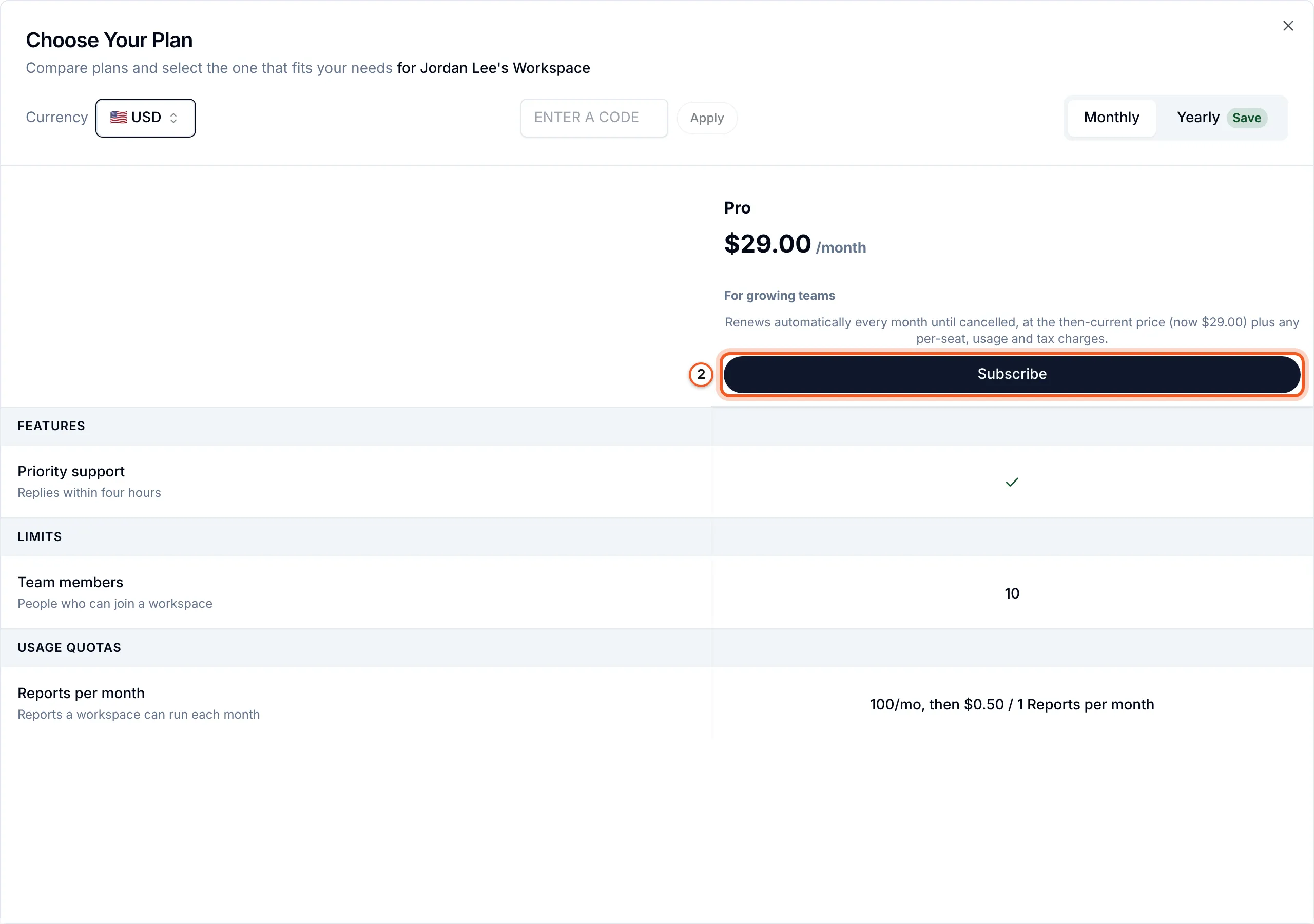
2. Subscribe
Choose Your Plan shows the plan for the customer's workspace: its price in the chosen Currency and interval, what it includes, a field for a promotion code, and the renewal terms beside the button. Press Subscribe.
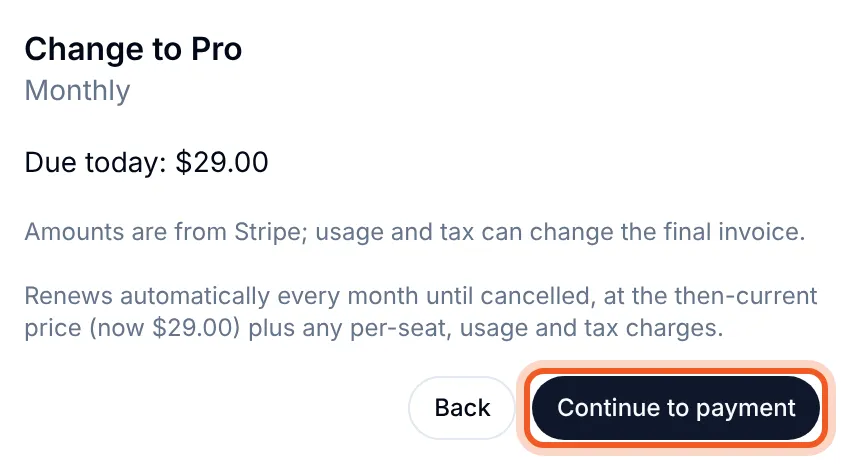
3. Continue to payment
Change to Pro shows what Stripe will charge today, before any payment. Press Continue to payment.
4. Pay with Stripe's test card
Stripe's checkout page opens, with the plan and the renewal terms. Under Payment method choose Card, and enter Stripe's test card:
| Field | Value |
|---|---|
| Card number | 4242 4242 4242 4242 |
| Expiry | Any date in the future, such as 12 / 34 |
| CVC | Any three digits |
| Name and post code | Anything |
Untick Save my information with Link, or Stripe asks for a phone number too. Press Subscribe. Stripe's testing page lists cards that decline or ask for 3-D Secure, to try those paths as well.
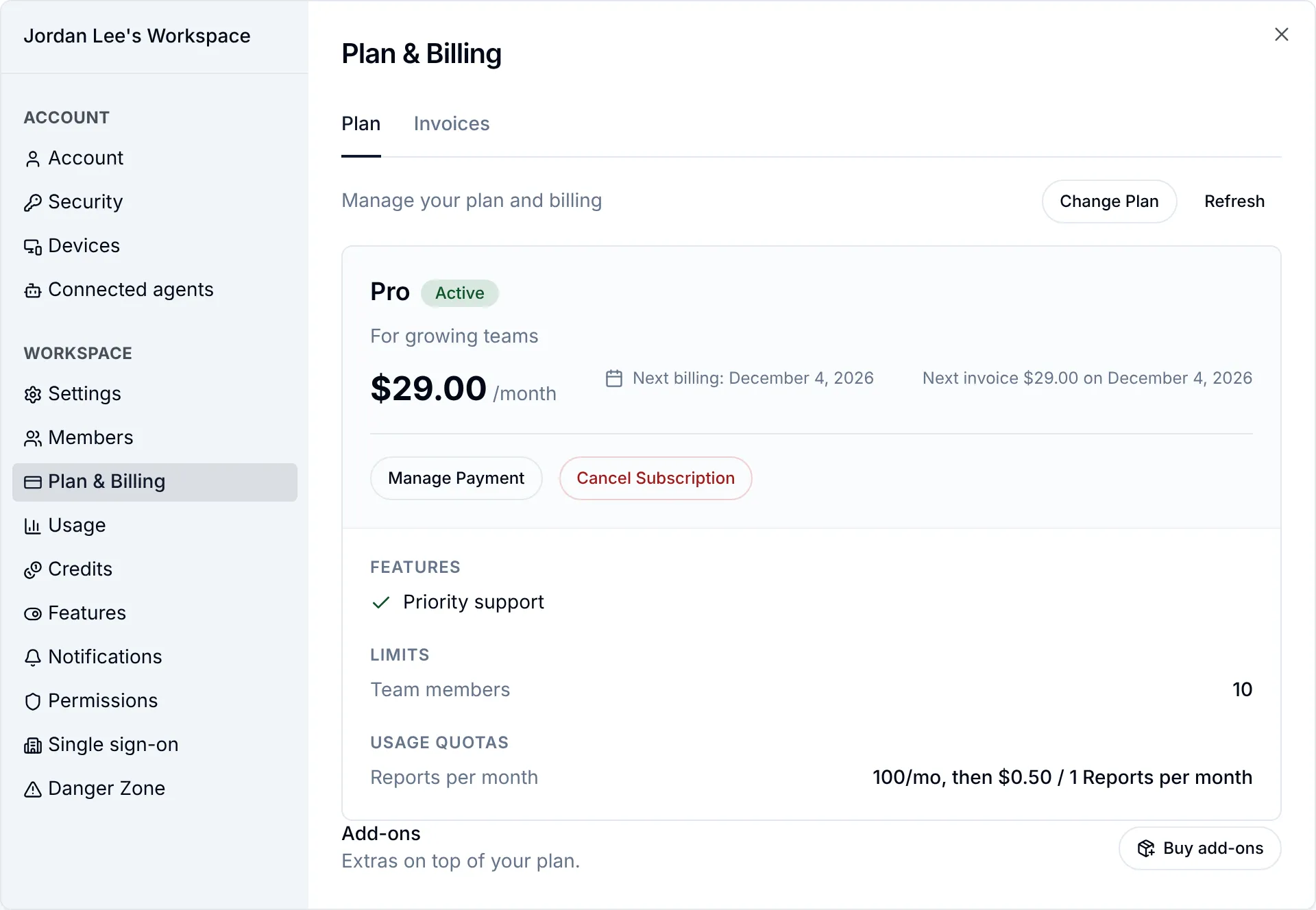
5. Back in your app
Stripe sends the customer back to your app, where Plan & Billing reads "Confirming your subscription..." until Stripe's webhook reaches BuildBase. Then it shows the plan, Active, with the next billing date and what the plan includes.
Check that it worked
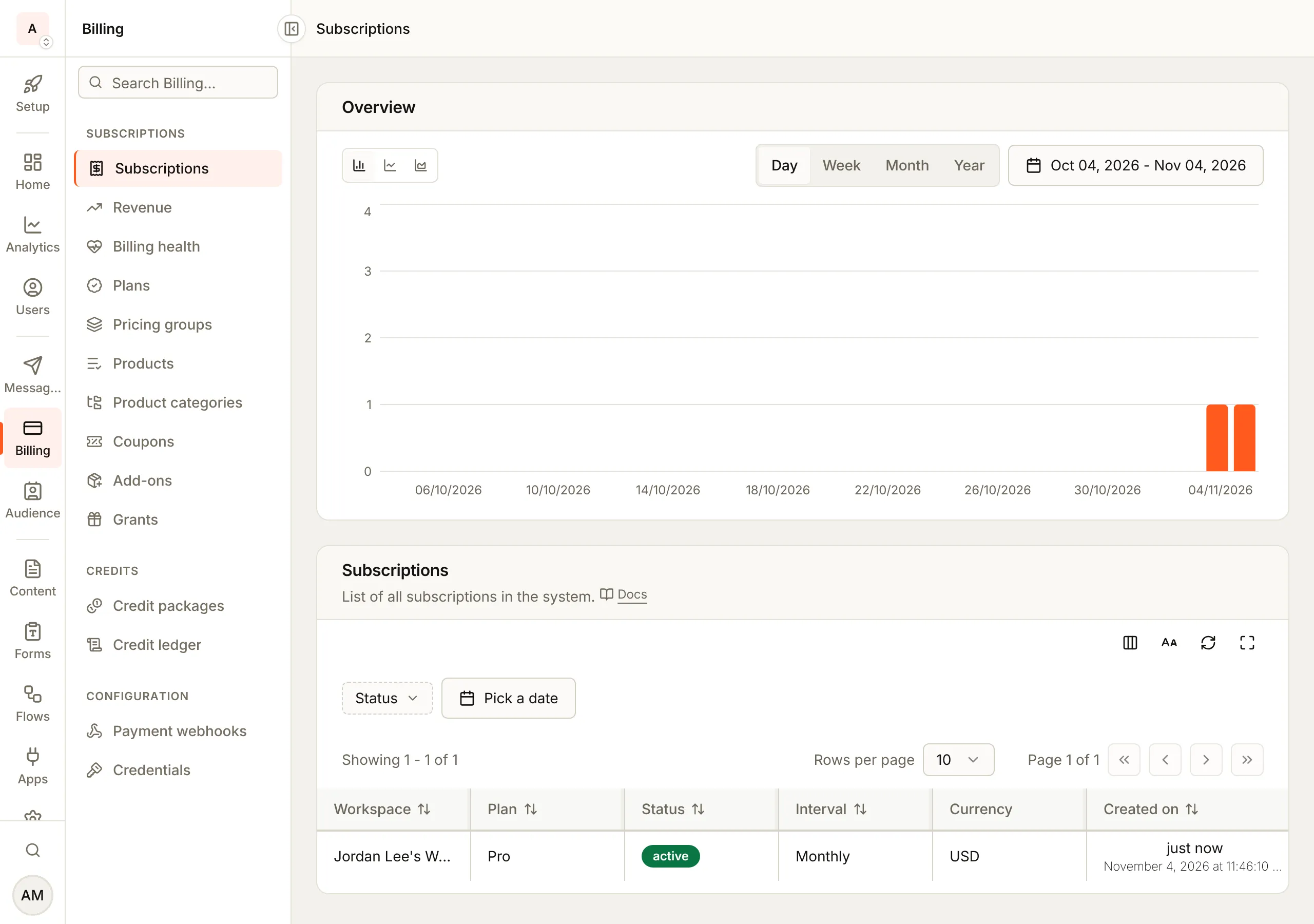
Open subscriptions in the console
(opens the console in a new tab)In the console, Billing > Subscriptions lists the workspace on Pro, active, Monthly, in USD.
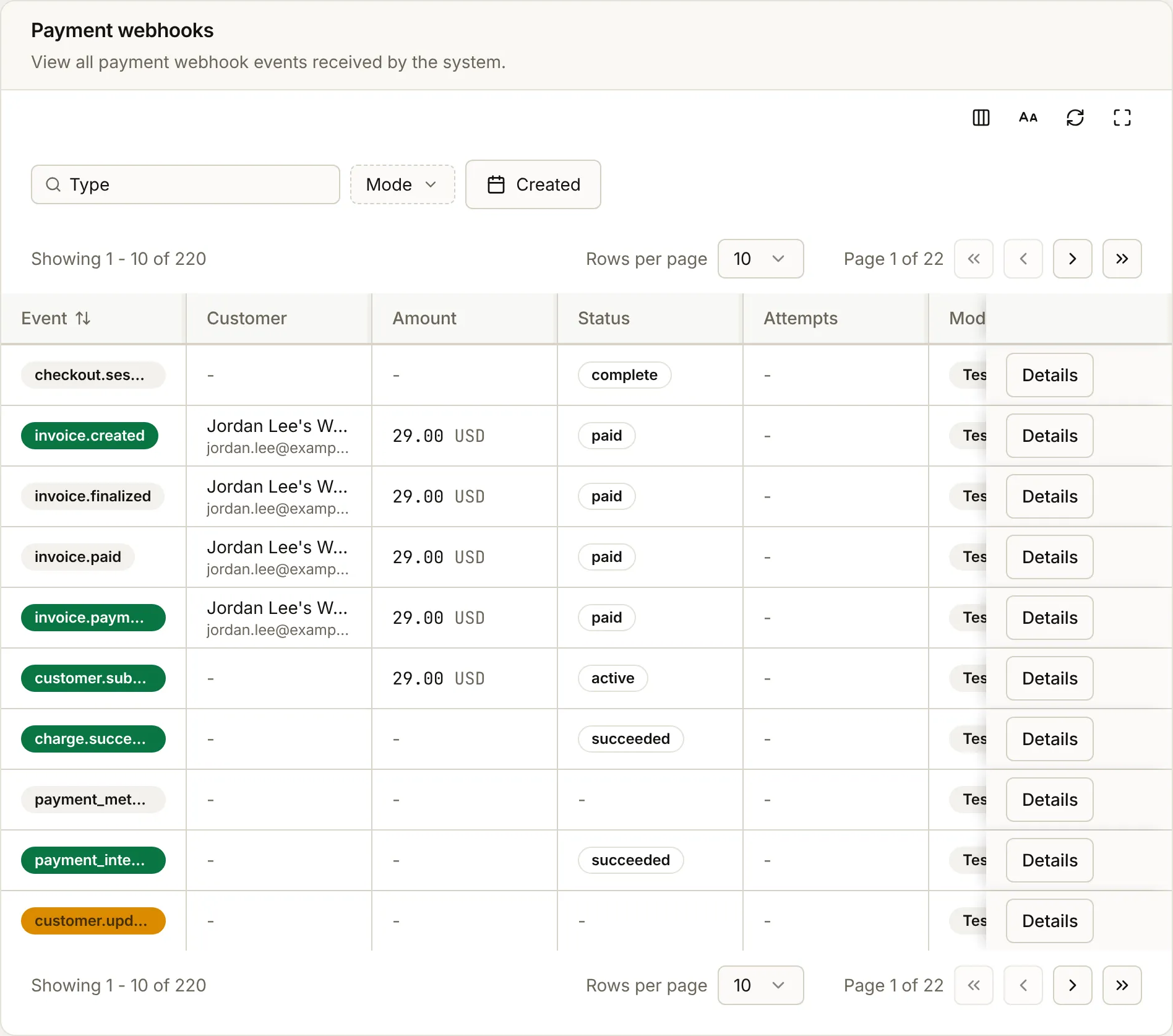
Billing > Payment webhooks lists the events Stripe sent for it, each marked Test: checkout.session.completed, customer.subscription.created, and the invoice events with the amount paid. Details on a row shows the event as BuildBase received it.
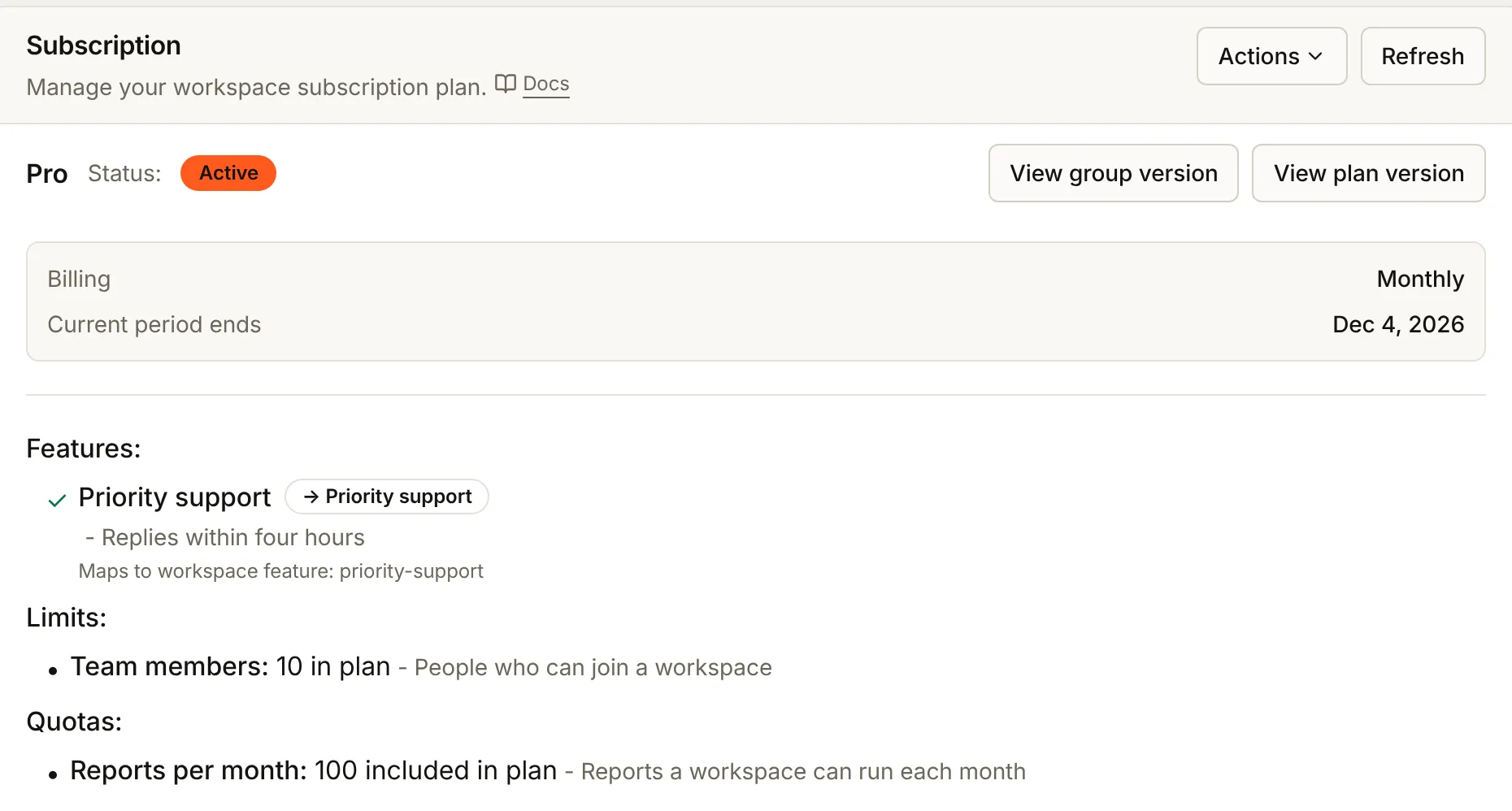
The workspace's own page (User management > Workspaces, then the workspace) shows its Subscription card: the plan, Active, how it bills, when the current period ends, and the features, limits and quotas the plan gives.
If something goes wrong
| What you see | Why | Fix |
|---|---|---|
| Confirming your subscription... never ends | Stripe's events do not reach BuildBase | Run Check Stripe setup under Billing > Credentials and fix the webhook endpoint (Connect Stripe) |
| The pricing page shows no plans | No published version of the pricing group, or another slug | Publish the group, and use its slug in PricingPage (Your pricing group) |
| "Plan version not found" at checkout | The plan version is in no pricing group | Add it to a group version and publish it |
| Stripe asks for a phone number | Save my information with Link is ticked | Untick it |
Next steps
- Managing subscriptions - what you can change for a customer from the console
- Failed payments - what happens when a renewal is declined
- Billing overview - trials, plan changes and the SDK's billing hooks