
Your BuildBase plan in the console
See the plan your organization is on, change it, pay early on a trial, manage payment and invoices, and read your storage, under Settings, Billing.
This page is about the plan your organization pays BuildBase for. The plans you sell to your own customers are billing.
Before you start
The organization's owner, who holds its billing (team and roles). An admin can read this screen.
1. Choose a plan when you start
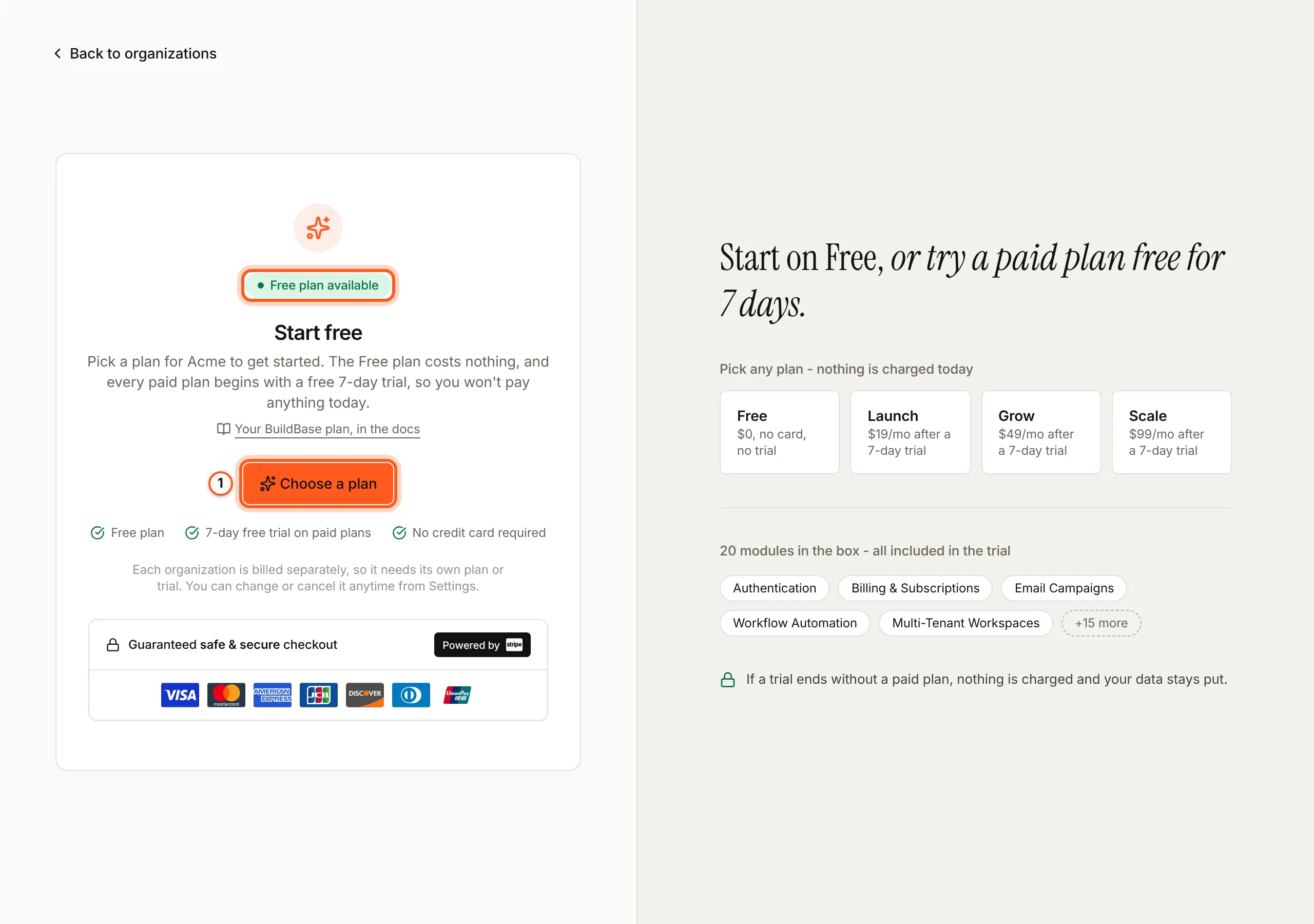
A new organization opens once it has a plan or a trial. Right after Create organization, the console asks for one on Start free: the Free plan costs nothing, and every paid plan starts with a free trial that needs no card. Press Choose a plan.
2. Open Billing
Open your plan in the console
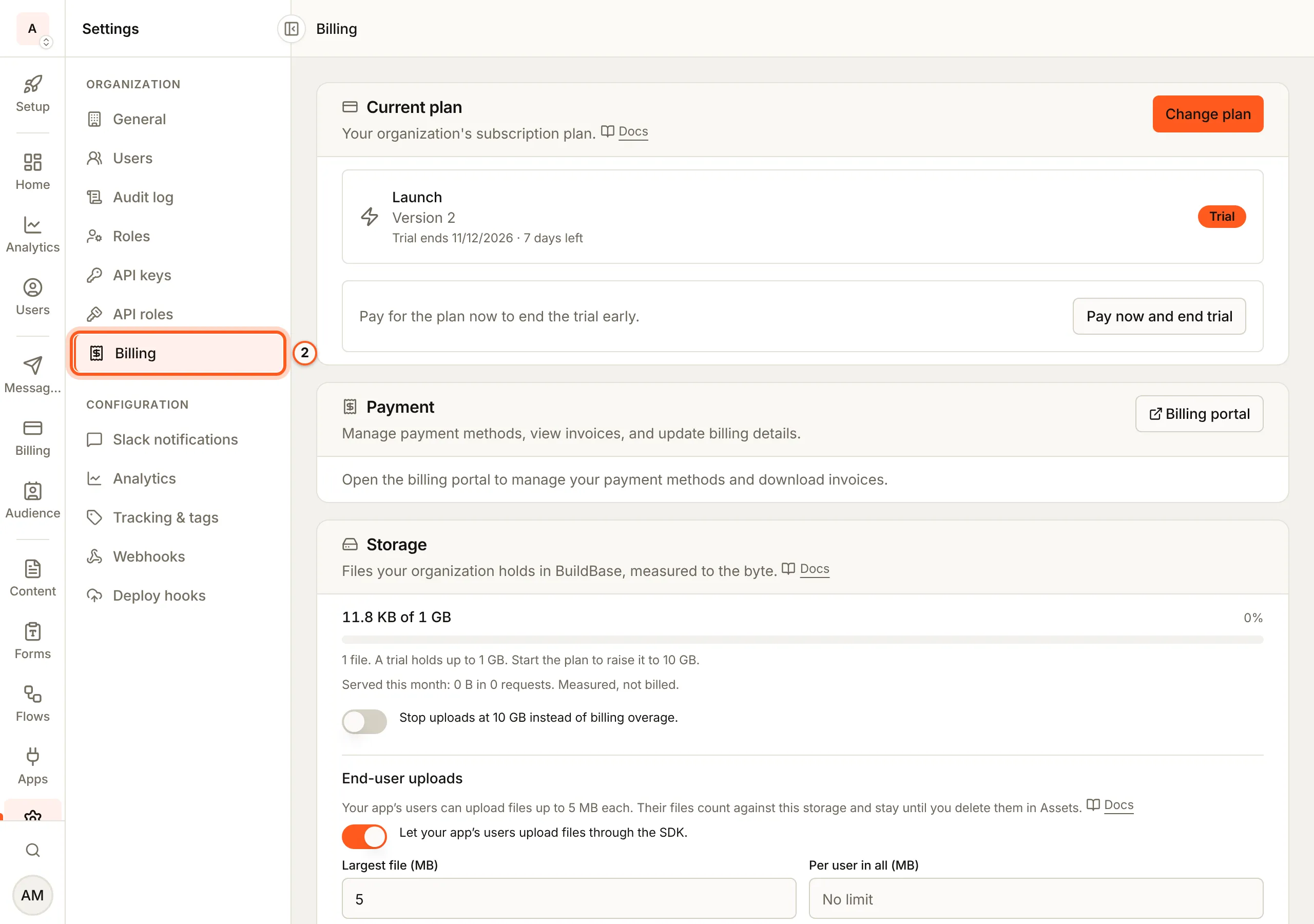
(opens the console in a new tab)In the left rail choose Settings, then Billing under Organization.
3. Read Current plan
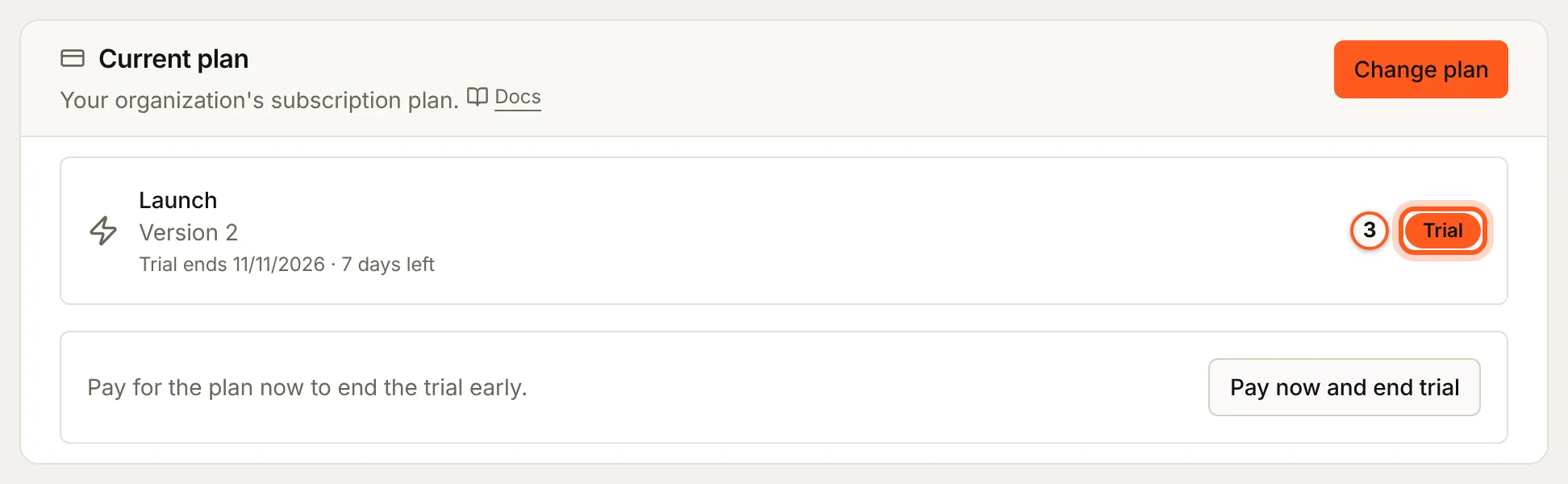
Current plan shows the plan and its status: Active, Trial, Payment failed, Canceled, Paused or Incomplete. On a trial it says when the trial ends and how many days are left.
4. Change it
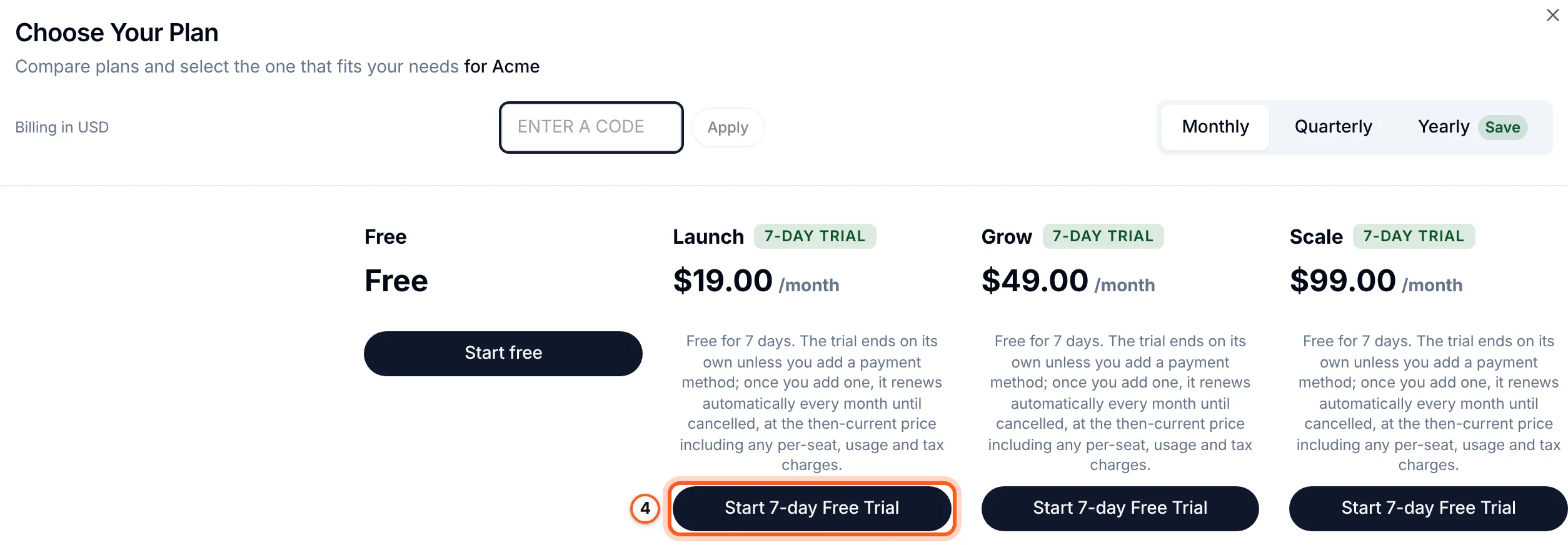
Press Change plan (or Choose a plan when there is none) and pick another. Choose Your Plan lists each plan with its price per period; a paid plan you have not trialled before offers Start 7-day Free Trial, and the next screen says what is due today before Continue to payment opens Stripe.
5. Pay before a trial ends
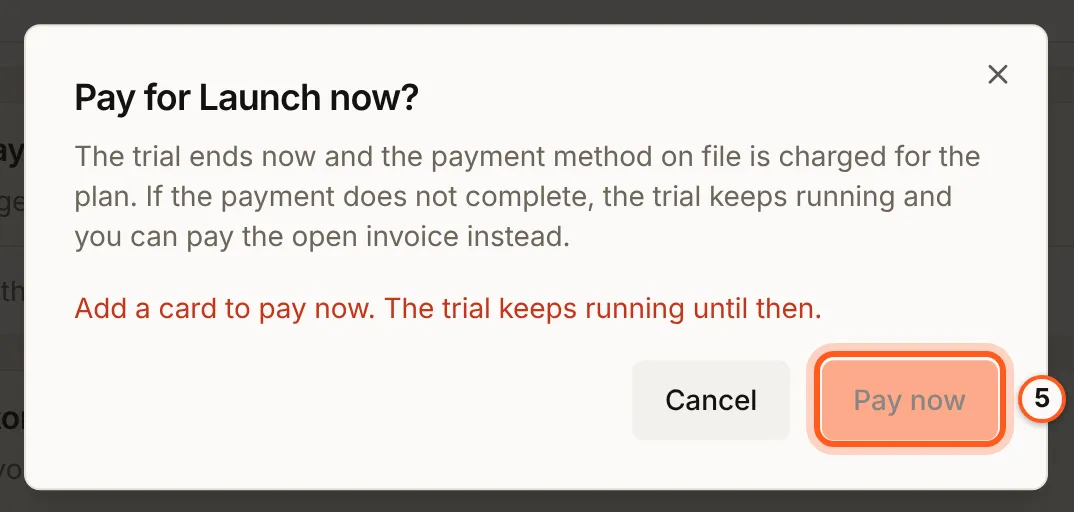
On a trial, press Pay now and end trial, then Pay now, to start paying before the trial ends. It charges the payment method on file: a trial started without a card asks you to add one first, under Payment.
6. Payment and invoices
Under Payment, press Billing portal to change your card, update billing details and download invoices.

7. Storage
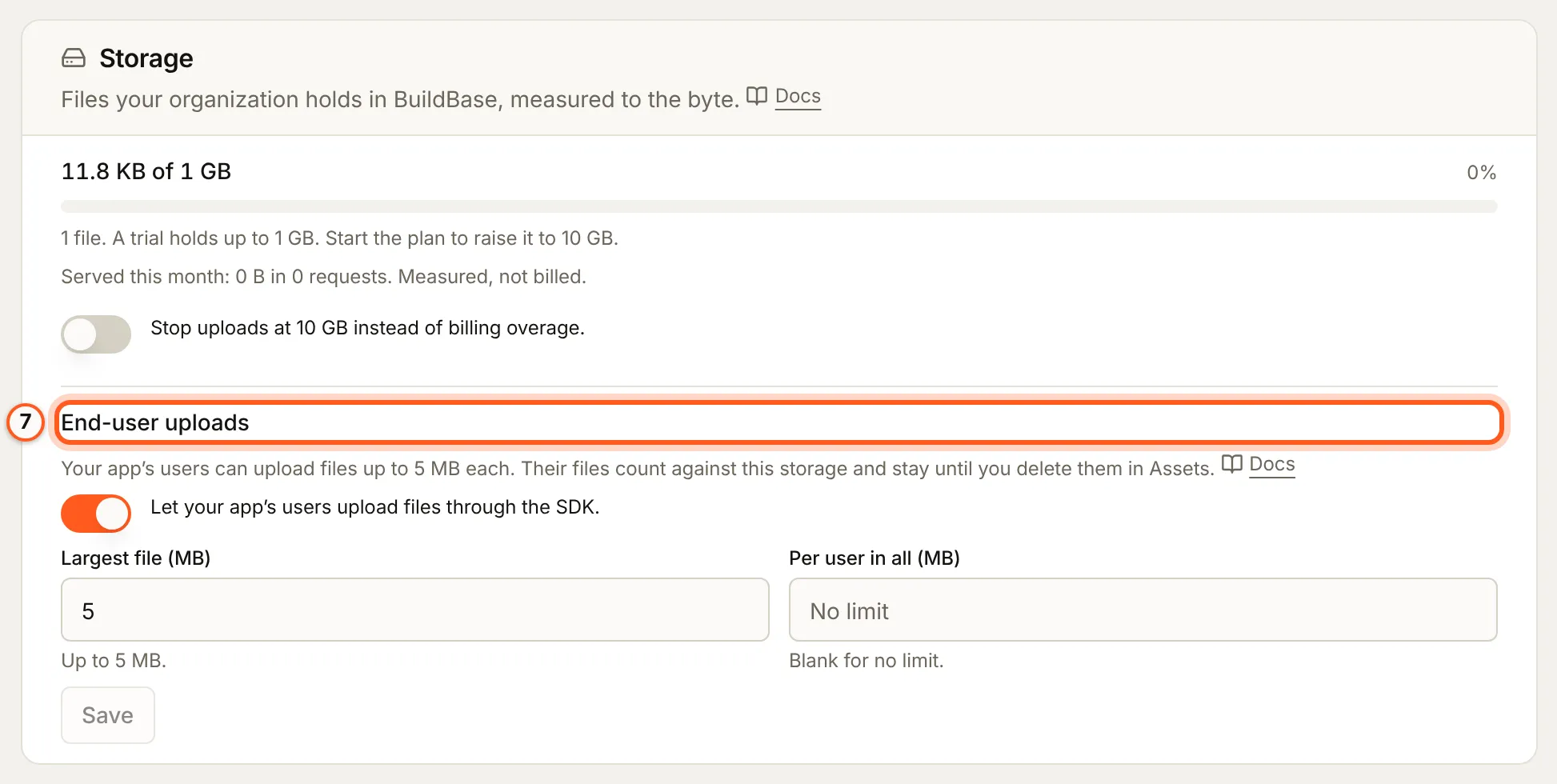
Storage measures the files your organization holds in BuildBase, to the byte, and what was served this month. Under End-user uploads, choose whether your app's users may upload files through the SDK, the Largest file (MB) and how much each may hold in all (Per user in all (MB), blank for no limit), then press Save. Their files count against this storage.
Where your plan shows elsewhere
A screen whose feature is not on your plan says so where the feature would be, such as Add script on Tracking & tags on a plan without tracking tags, and a meter beside an Add or Create button counts what you use against your plan's limit, such as Create API key on API keys.

Things to watch out for
- Only production is billed. Inside an environment, this screen says its billing belongs to the organization.
- A self-hosted installation has no Billing item: its billing is in the BuildBase dashboard.
- A trial that ends without a plan closes the console until you choose one.
Next Steps
- Organization settings - name, domain, logo and your data.
- Team and roles - who may do what, and who holds billing.