
Set up a Netlify, Cloudflare Pages or Render deploy hook
Where Netlify, Cloudflare Pages and Render keep their deploy hooks, what the URL looks like, and what BuildBase shows for their deploys.
Netlify, Cloudflare Pages and Render deploy hooks work the same way as Vercel's: you create the hook at the provider, paste its URL into BuildBase, and each deploy you start from the console starts a build. BuildBase does not receive their deploy results, so their deploys read Triggered in the history (or Queued, when Render waits for a deploy already running). Check the build at the provider.
Before you start
A site on Netlify, Cloudflare Pages or Render that builds from your BuildBase content, and a BuildBase plan that includes deploy hooks. You add the hook in the BuildBase console under Settings > Deploy hooks, then Manage hooks and Create hook.
Where each provider keeps its hook
| Provider | Where to create the hook | The URL looks like |
|---|---|---|
| Netlify | Project configuration > Developer settings > Continuous deployment > Build hooks > Add build hook | https://api.netlify.com/build_hooks/<id> |
| Cloudflare Pages | Workers & Pages > your project > Settings > Builds > Add deploy hook | https://api.cloudflare.com/client/v4/pages/webhooks/deploy_hooks/<id> |
| Render | Your service > Settings > Deploy Hook | https://api.render.com/deploy/srv-<id>?key=<key> |
Netlify and Cloudflare Pages ask for a name and a branch to build. Render gives each service one hook URL, ready to copy, on its Settings tab. Copy the URL the provider shows.
Like Vercel's, it is a credential: anyone who has it can start a build. If it leaks, delete the hook at the provider and create a new one (on Render, select Regenerate Hook), then delete the old hook in BuildBase and add the new URL.
Provider docs: Netlify build hooks, Cloudflare Pages deploy hooks and Render deploy hooks.
Add it to BuildBase
Paste the URL into Deploy hook URL. BuildBase recognises the provider and says that it does not receive this provider's results.
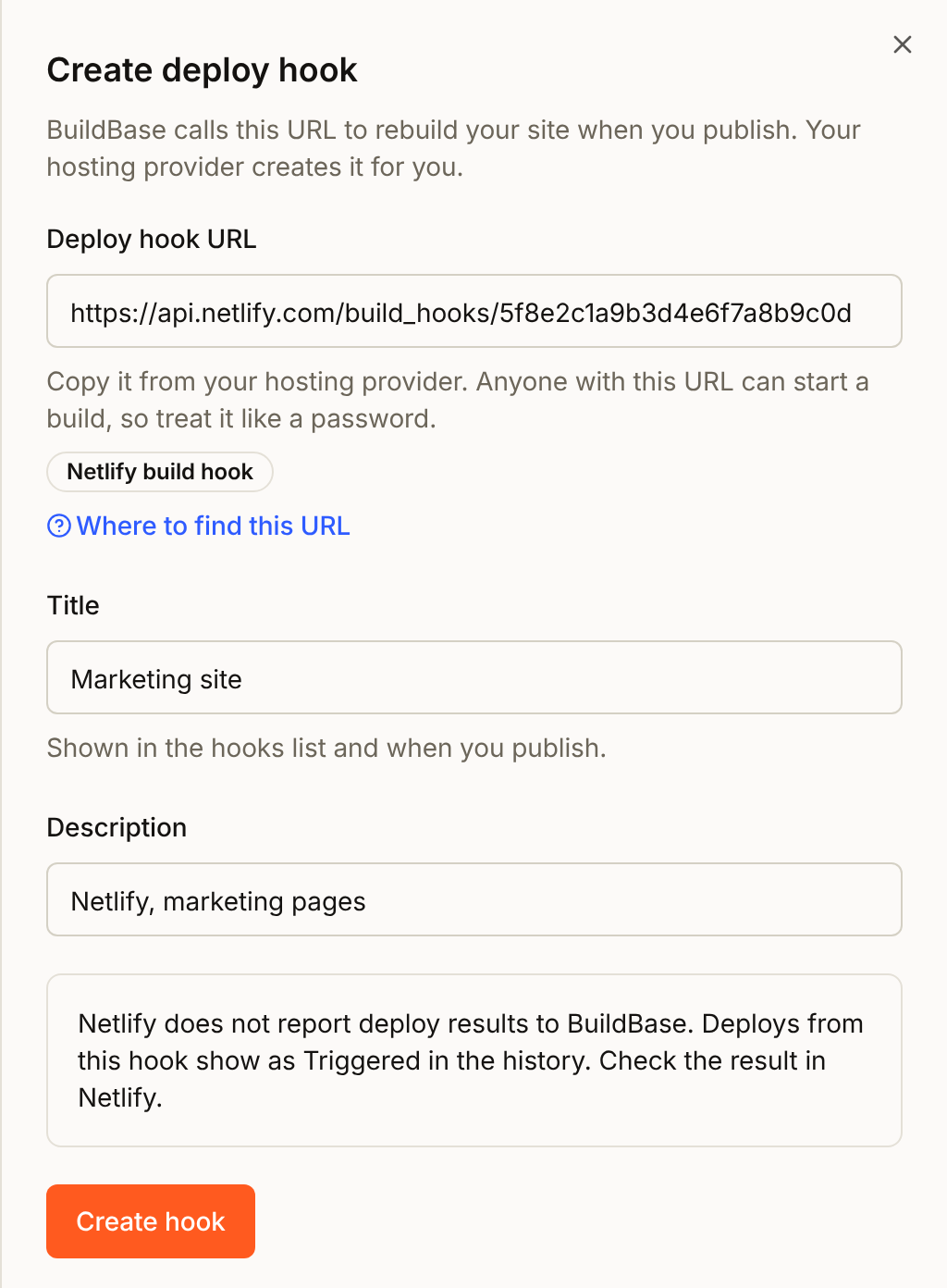
When you select Create hook, BuildBase refuses a URL that cannot start a build, and says where the right one is:
- the site's own address, such as
https://my-site.netlify.app,https://my-site.pages.devorhttps://my-site.onrender.com; - a dashboard or docs page, such as
app.netlify.com,dash.cloudflare.comordashboard.render.com; - a Render hook without its
?key=; - a Netlify or Render API address that is not a hook, or a malformed Cloudflare Pages hook URL;
- an
http://address on a provider's API.
Other api.cloudflare.com addresses are accepted, because Cloudflare Workers Builds hooks live there too. So is a path on your own site, such as https://my-site.netlify.app/.netlify/functions/rebuild: that is a function of yours, which can start a build however you like. A site address on your own domain also gets through, and its first deploy fails, usually with "answered with a web page, not a deploy hook".
Your own endpoint
A URL on your own site or service works as a hook too. BuildBase sends it a POST with an empty JSON body ({}), waits up to 15 seconds, and does not follow redirects. Any 2xx answer counts as a started deploy, unless the answer is a web page. If your endpoint answers the POST with 405 or 404, BuildBase tries once more with a GET. Its deploys read Triggered.
Check it works
In Manage hooks, select Deploy on the hook and confirm. The deploy reads Triggered in Settings > Deploy hooks (Queued on Render, if another deploy of the service is running). Open your provider's deploys list to see the build start.
From then on, start a deploy from the banner at the top of the console when posts change, or with Deploy on the hook. Starting a deploy shows both.
Finding BuildBase's builds at the provider
Netlify. A build BuildBase starts reads Deploy triggered by BuildBase hook: your hook's title in the project's deploy list, in place of Netlify's usual "Deploy triggered by hook: the hook's name". BuildBase sets it with Netlify's trigger_title parameter. Netlify shows some characters in a deploy message as HTML codes, such as & for &, so BuildBase writes them differently: & as "and", / as a division slash (∕), which looks like / but is a different character, straight quotes as curly ones, and < and > as ‹ and ›. A hook titled Docs & blog: main/preview reads "Deploy triggered by BuildBase hook: Docs and blog: main∕preview", so search Netlify's deploy list for the title without the slash. To use your own message, add trigger_title=... to the URL you save in BuildBase, and BuildBase sends yours unchanged, so leave those characters out of it. Netlify documents the parameter as changing the deploy message. If your build compares the INCOMING_HOOK_TITLE or INCOMING_HOOK_URL variable with a fixed value, check once that it still matches.
Render. Each Render deploy in the history has an Open in Render link under its badge, which opens that deploy in your Render dashboard. A deploy that reads Queued is one Render accepted while another deploy of the service was running: your workspace's Overlapping Deploy Policy (workspace Settings) is Wait. When the running deploy finishes, Render builds the most recent request, so several queued calls become one deploy. Render sends no deploy ID for a queued call, so its link opens the service and its deploys instead.
Cloudflare Pages. The project's Deployments list shows each build, with what started it.
Get told when a build fails
BuildBase does not hear how these builds end, but each provider can tell you itself:
- Netlify: add a Deploy failed notification under Project configuration > Notifications > Deploy notifications, by email to an address you choose (Pro and Enterprise plans) or as an HTTP POST to a URL. Pro and Enterprise teams can also post deploy results to Slack with the Netlify App for Slack.
- Cloudflare Pages: go to Alerts > Overview > Create an Alert, choose the Pages Project updates alert with the Deployment failed event, optionally for specific projects and environments, and send it by email or webhook. It works on every plan.
- Render: a workspace admin picks email, Slack or both, and Only failure notifications or All notifications, under Integrations > Notifications. Each service can change that in its own Settings > Notifications.
Common problems
| What you see | Why | Fix |
|---|---|---|
| The site did not change after you published a post | Publishing a post does not start a deploy | Select Preview changes on the banner, or Deploy on the hook |
| "answered 404 Not Found" | The hook was deleted at the provider, or this is not its current URL | Create the hook again at the provider, delete it here, and add the new URL |
| "answered 401 Unauthorized" (Render) | The hook URL was regenerated | Copy the current URL from the service's Settings tab, delete the hook here, and add the new URL |
| "answered with a web page, not a deploy hook" | The URL saved is a site or a page | Add the hook again with the URL the provider shows for it |
| "answered 301 Moved Permanently, a redirect" | The saved URL redirects somewhere else, and deploy hooks are not redirected | Save the URL it redirects to as the hook |
| The deploy reads Triggered, and nothing builds (Netlify) | Builds are stopped for the site | Turn builds back on: Netlify only starts a build hook's build while builds are active |
| The deploy reads Queued (Render) | Another deploy of the service was running, and the workspace waits | Nothing to do in BuildBase: Render builds the most recent request when the running deploy ends. Open in Render shows how it went |
Next steps
- Deploy hooks - how a deploy reaches your provider, and what each status means
- Set up a Vercel deploy hook - including deploy results sent back to BuildBase