
Set up an FAQ section in the console
Write FAQ questions in the console, group them into a collection your site reads by slug, remove and restore a question, and archive a collection.
An FAQ section has two parts: the questions, each with its answer, and a collection that groups some of them for one page of your site, such as a help center. This guide builds the Acme Analytics help center.
Before you start
A console role that can create FAQs and FAQ collections, and room on your plan for FAQs, collections, and questions per collection.
1. Open FAQs
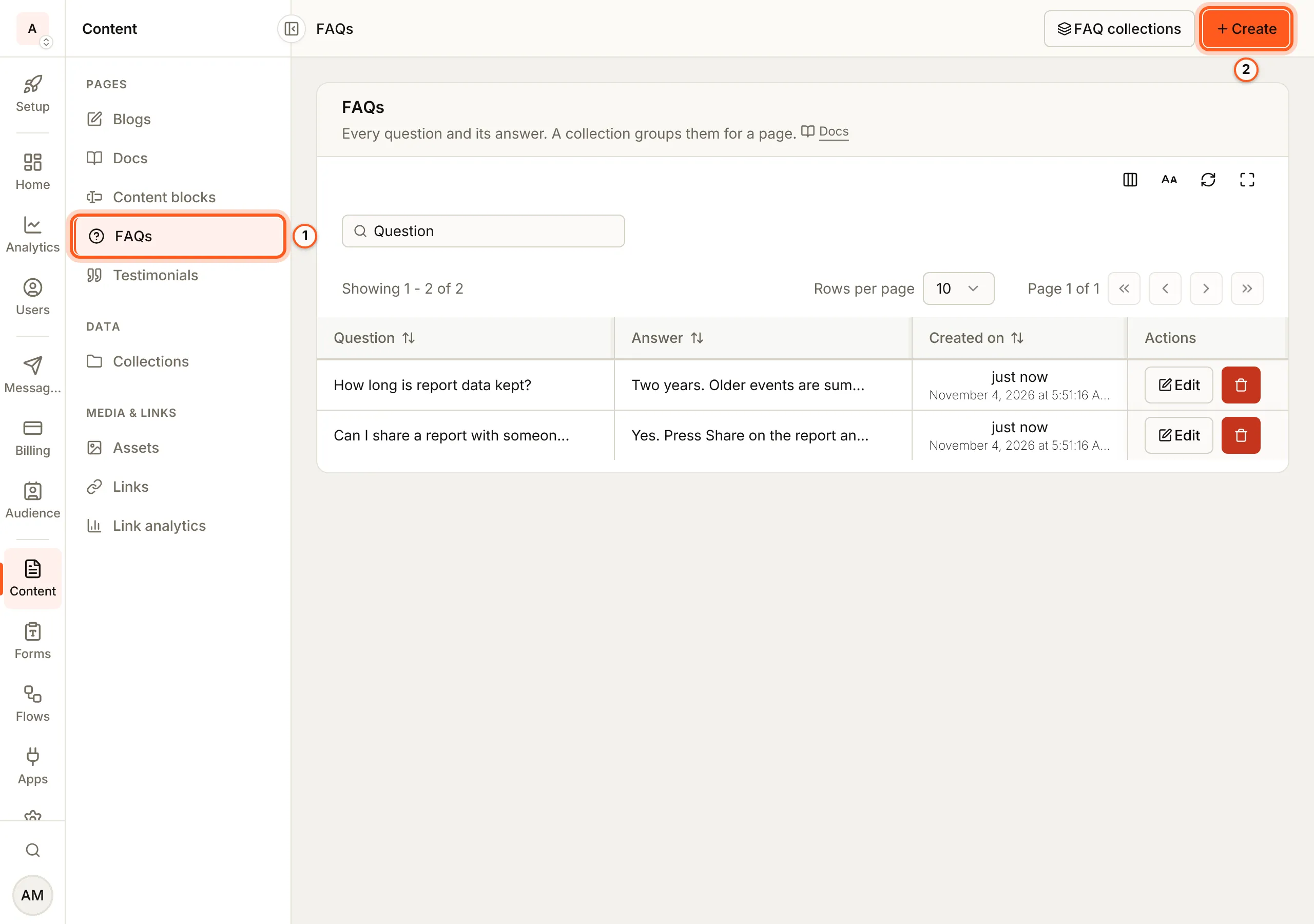
Open FAQs in the console (opens the console in a new tab)In the left rail choose Content, then FAQs under Pages. The table lists every question. Press Create.
2. Write a question
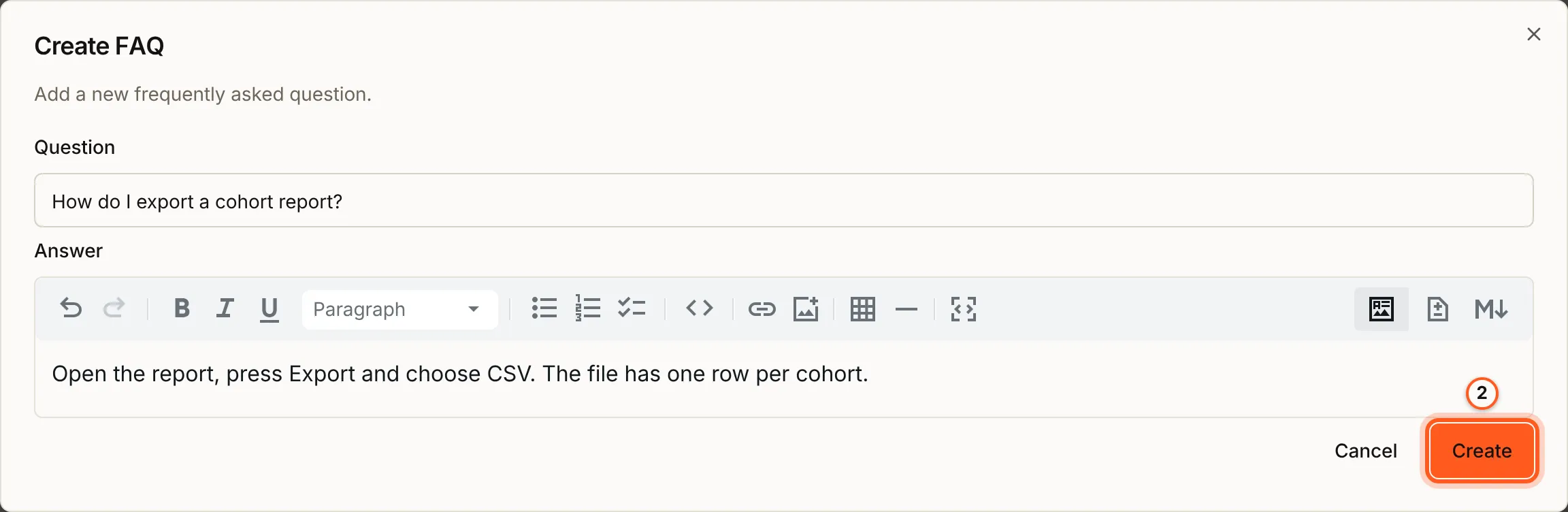
In Create FAQ, fill Question and Answer and press Create.
3. Make a collection
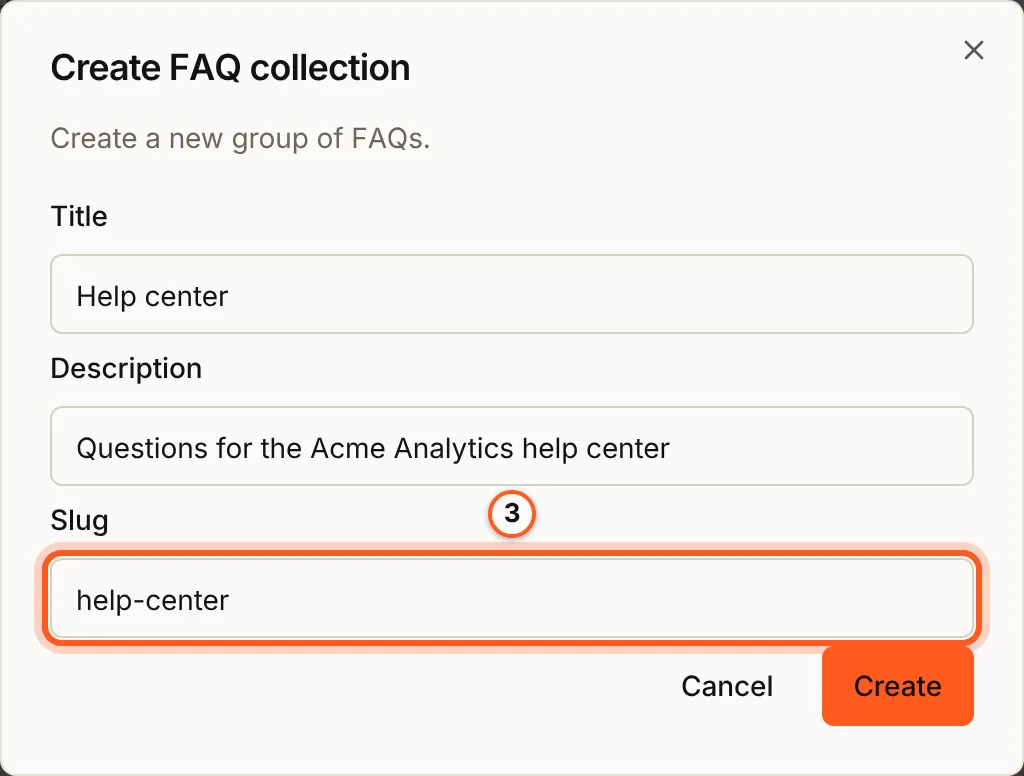
Press FAQ collections, then Create. Fill Title, Description and
Slug, and press Create. Your site reads the collection by its slug, so
pick one you will keep, such as help-center.
4. Add questions to it
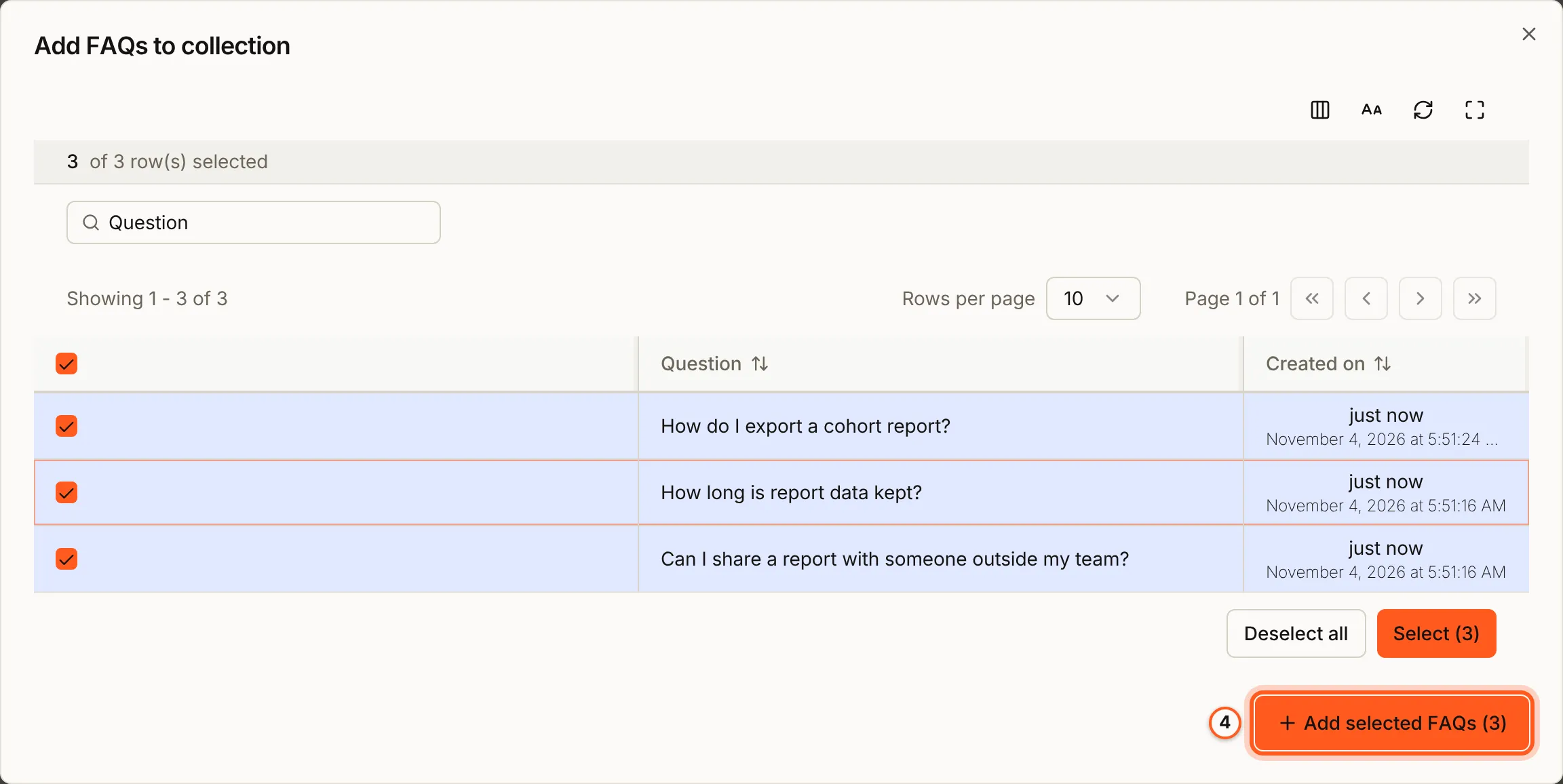
Press View on the collection's row, then Add FAQs. Tick the questions, press Select, then Add selected FAQs. They go after any already there.
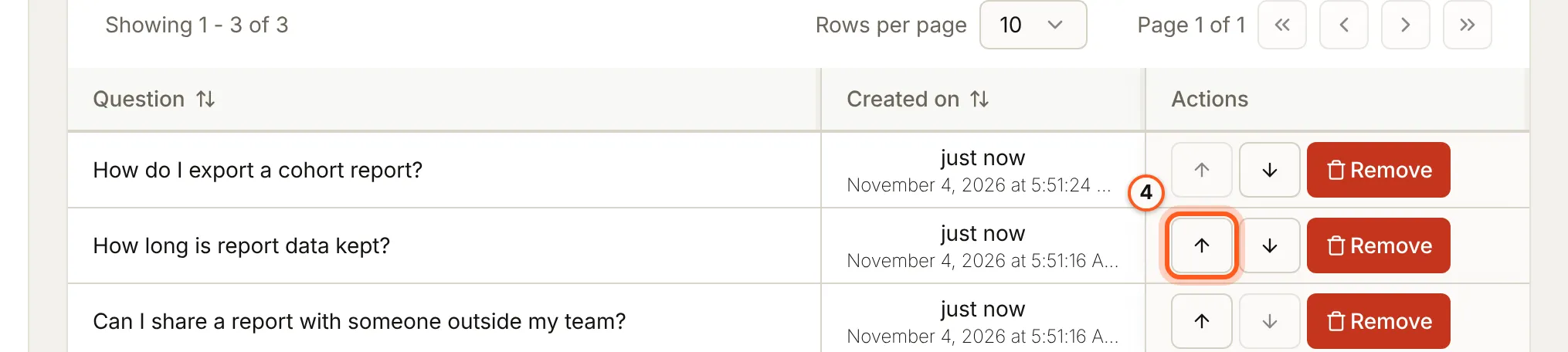
The arrows on a row move a question up or down. Your site reads the questions in this order, so put the one most people ask first.
5. Remove one, or undo it
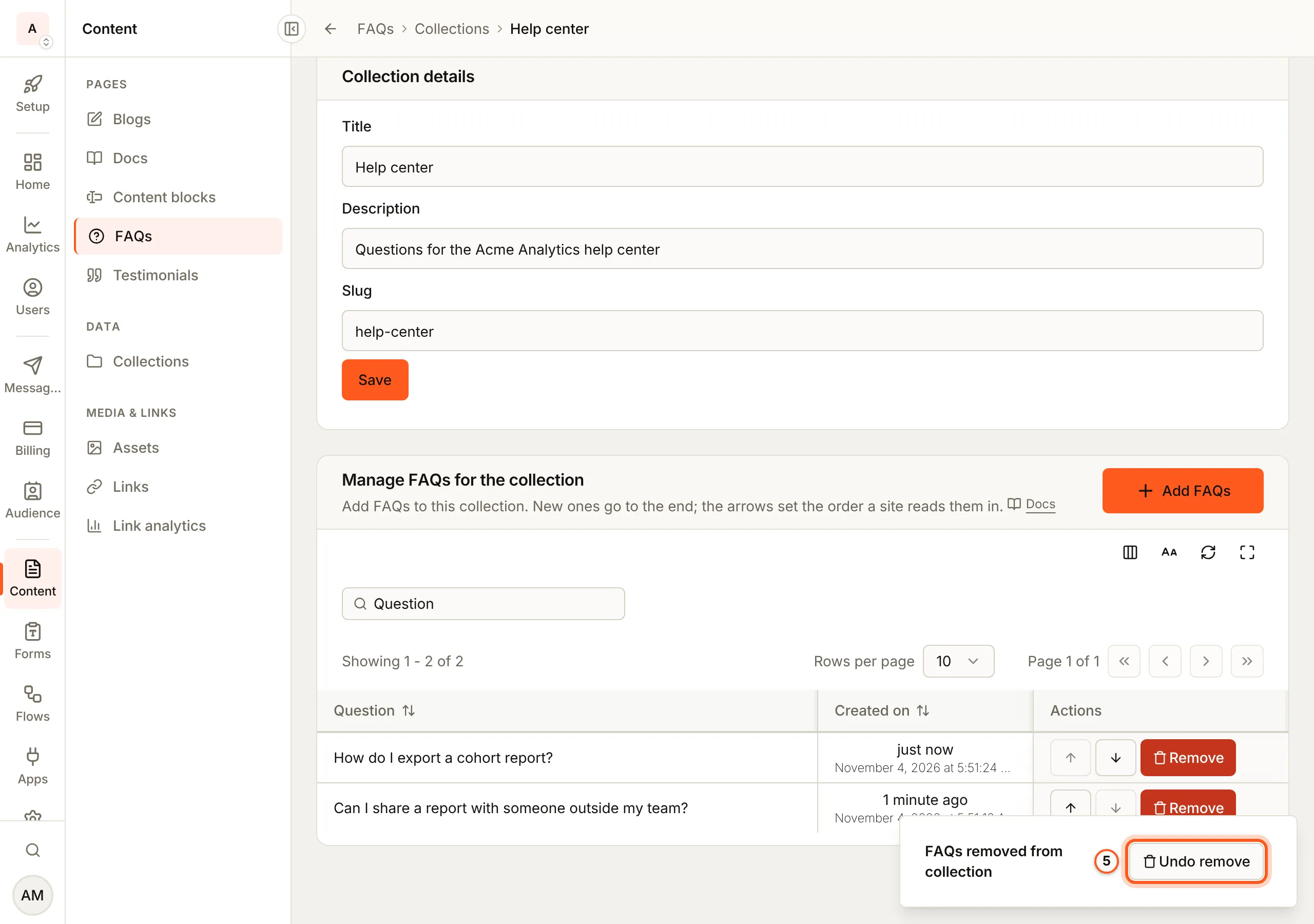
Remove on a question's row takes it out of this collection only; the question itself stays under FAQs. The toast that follows has Undo remove, which puts it back.
6. Archive a collection
Collections are archived, not deleted: Archive on its row takes it out of use and frees its place on your plan, and Restore brings it back.

Check it works
Read the collection's questions by its slug, in the collection's order:
curl https://api.console.buildbase.app/api/faqs/collections/slug/help-center/faqs \
  -H "Authorization: Bearer $BUILDBASE_TOKEN"
Or with the server client from @buildbase/sdk/server:
const questions = await content.faqs.questions('help-center');An unknown slug answers 404, and the server client returns [].
Things to watch out for
- New questions go to the end. Move them with the arrows; over the API,
PATCH /api/faqs/collections/:id/faqs/updatereplaces the whole list in its new order (FAQs). - One question can sit in several collections, at a different place in each.
- Changing a collection's slug breaks every page that reads it.
- Deleting a question takes it off every collection that shows it. To drop it from one page, remove it from that collection instead.
- Your plan caps questions, collections and questions per collection. Create and Add are refused at the limit.
Next Steps
- Content overview - the FAQ and collection routes.
- Delivering content - read FAQs from your site with caching and webhooks.