
Reusable content blocks in the console
Write a content block in the console, read it by its slug from your app, change its wording without a deploy, and see what deleting one breaks.
A content block is a named piece of formatted text your app shows wherever it likes: a refund policy, an announcement, a pricing footnote. Your code asks for it by its slug, so the wording can change in the console without a deploy. This guide writes Acme Analytics' refund policy.
Before you start
A console role that can create, update and delete content blocks, and room on your plan for content blocks.
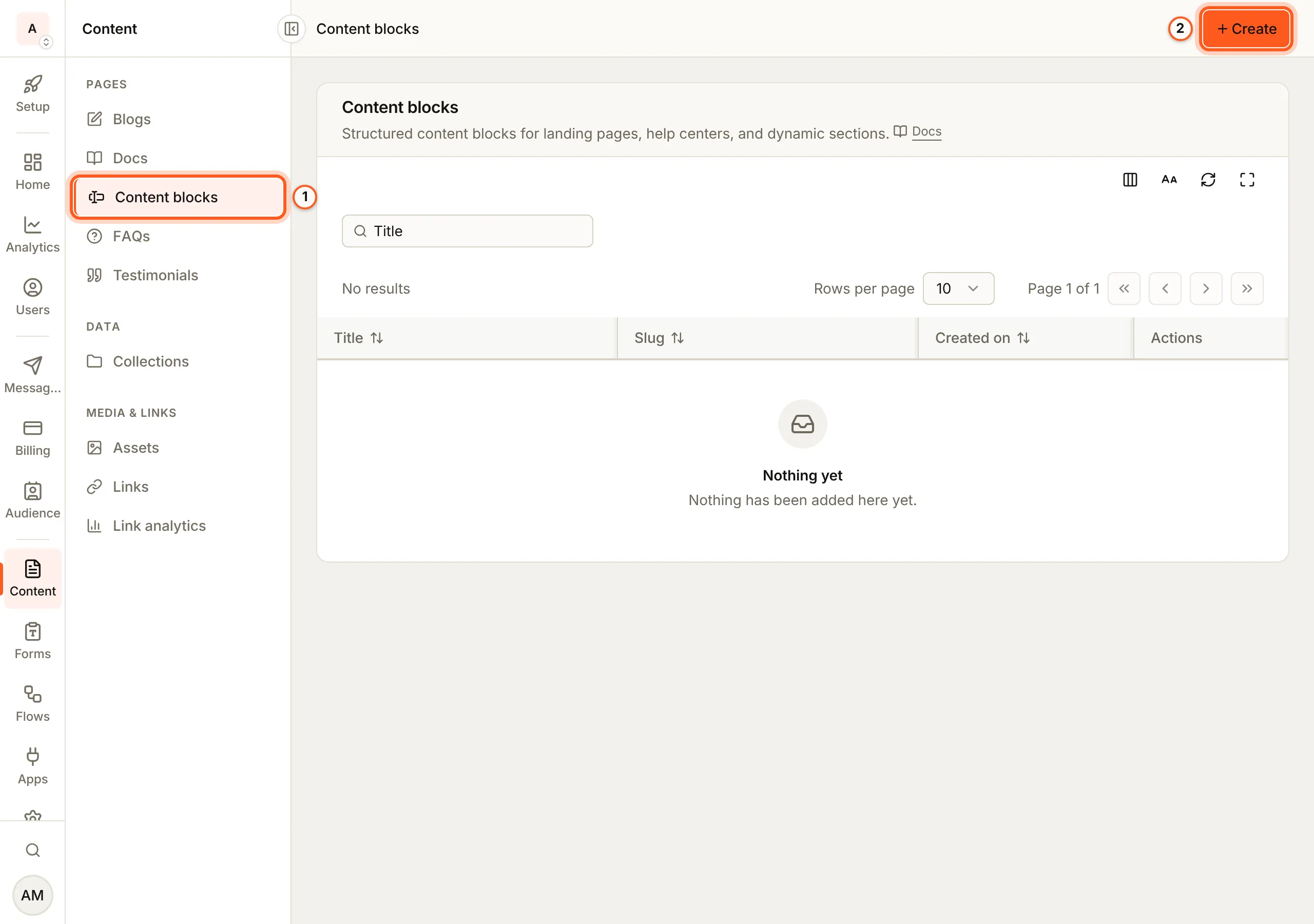
1. Open Content blocks
Open Content blocks in the console
(opens the console in a new tab)In the left rail choose Content, then Content blocks under Pages. When your plan caps content blocks, a meter beside Create shows how many you have used. Press Create.
2. Write it
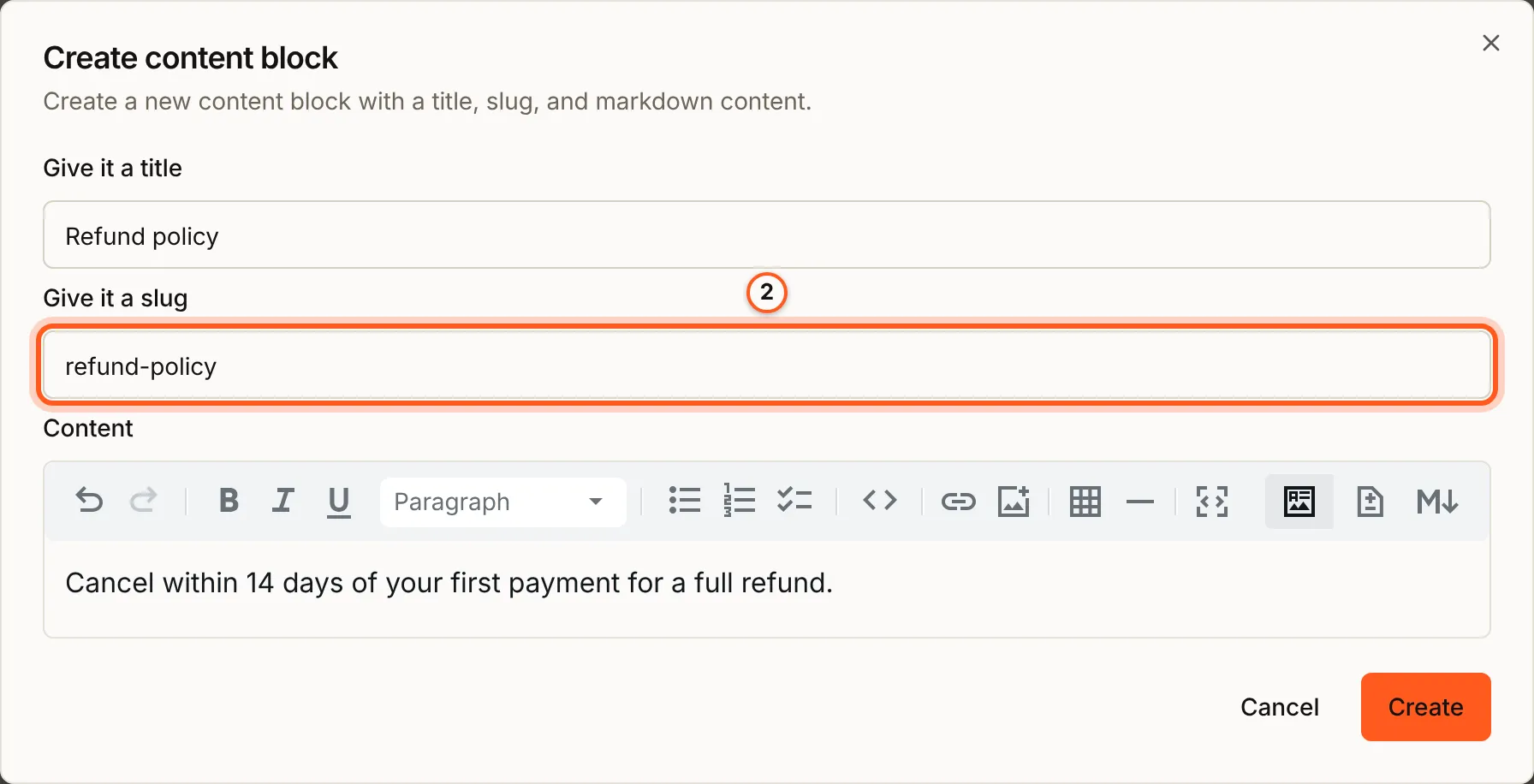
In Create content block, fill Give it a title and Give it a slug,
the name your code uses, such as refund-policy. Write the text under
Content and press Create.
3. Change its wording
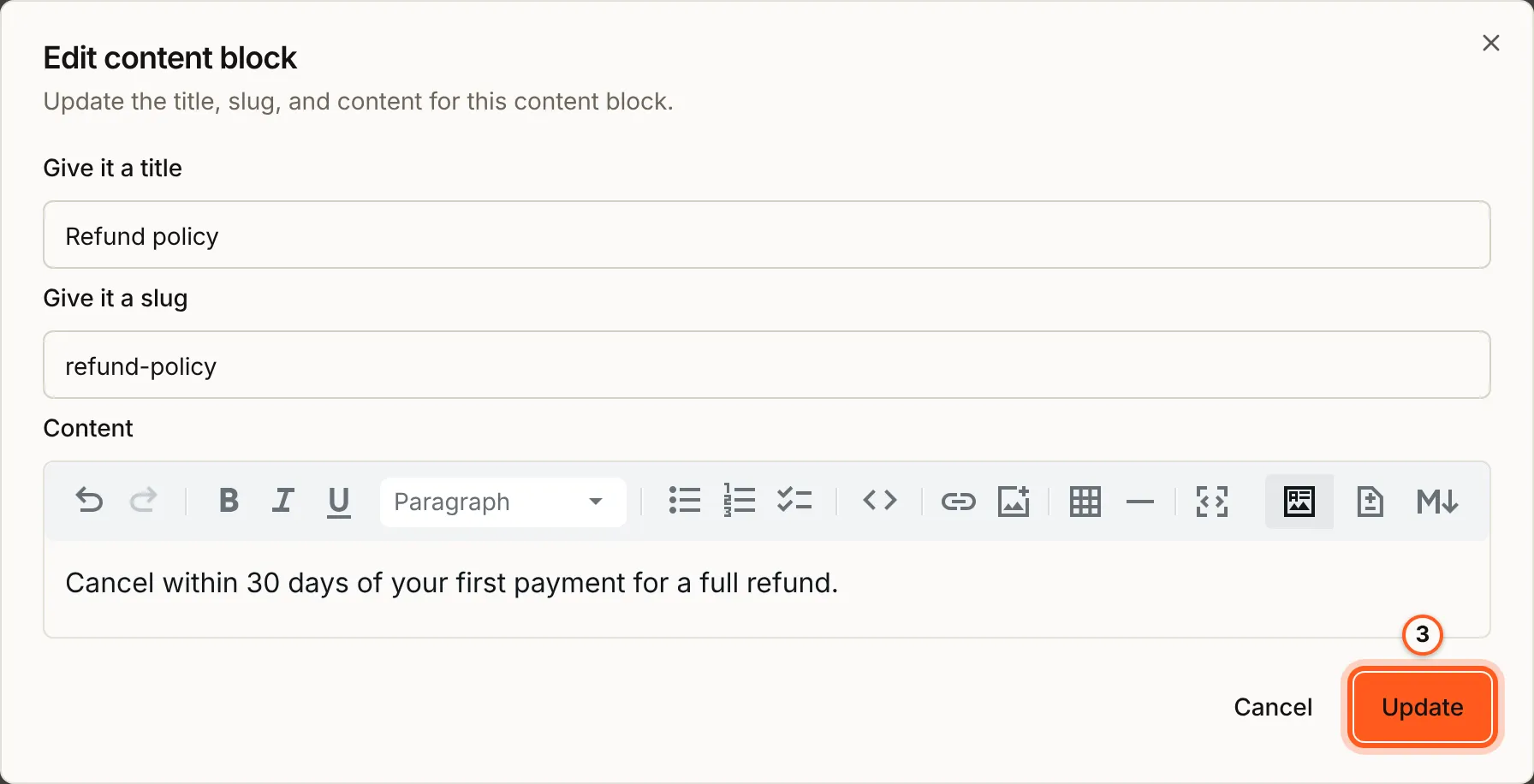
Press Edit on its row, change the text and press Update. Pages that read it show the new text the next time they fetch it; nothing needs a deploy.
4. Delete it
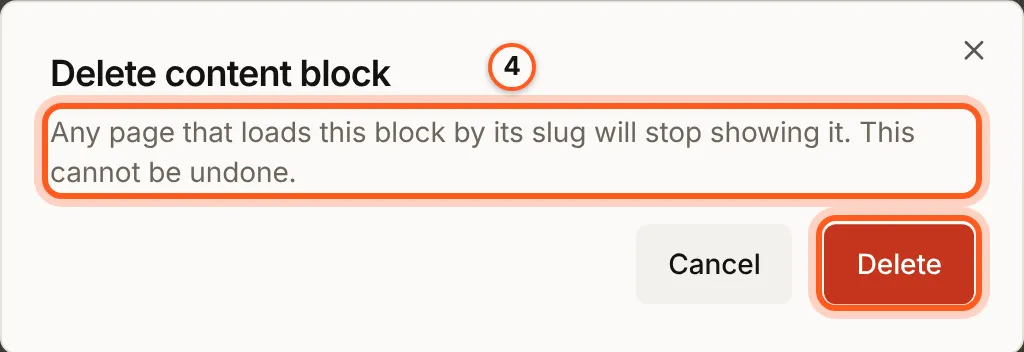
The bin on its row asks first, and says what breaks: any page that loads the block by its slug stops showing it. Delete cannot be undone.
Check it works
Read it by its slug with your org API key:
curl https://api.console.buildbase.app/api/rich-content/slug/refund-policy \
  -H "Authorization: Bearer $BUILDBASE_TOKEN"
Or with the server client from @buildbase/sdk/server:
const policy = await content.richContent.get('refund-policy');An unknown slug answers 404, and the server client returns null.
Things to watch out for
- The slug is the address your code uses. Renaming it breaks every page that loads the block.
- Delete cannot be undone.
- Your plan caps how many blocks you keep. Create is refused at the limit.
Next Steps
- Content overview - where content blocks fit.
- Delivering content - caching and webhooks, so an edit shows without a deploy.