
Add a webhook endpoint in the console
Point BuildBase at your server, choose the events it gets, keep the signing secret, read every delivery, rotate the secret and remove an endpoint.
A webhook endpoint is an address on your server that BuildBase calls when something happens in your app: a user signs up or signs in, a subscription changes, a member joins a workspace. This guide adds one for Acme Analytics' reports service, which wants to know when someone signs in.
Before you start
A console role that can create webhook endpoints, and an HTTPS address on your
server that verifies each delivery with parseWebhookEvent (the
receiver). Your plan sets how many
endpoints you may have and how many events each may take.
1. Open Webhooks
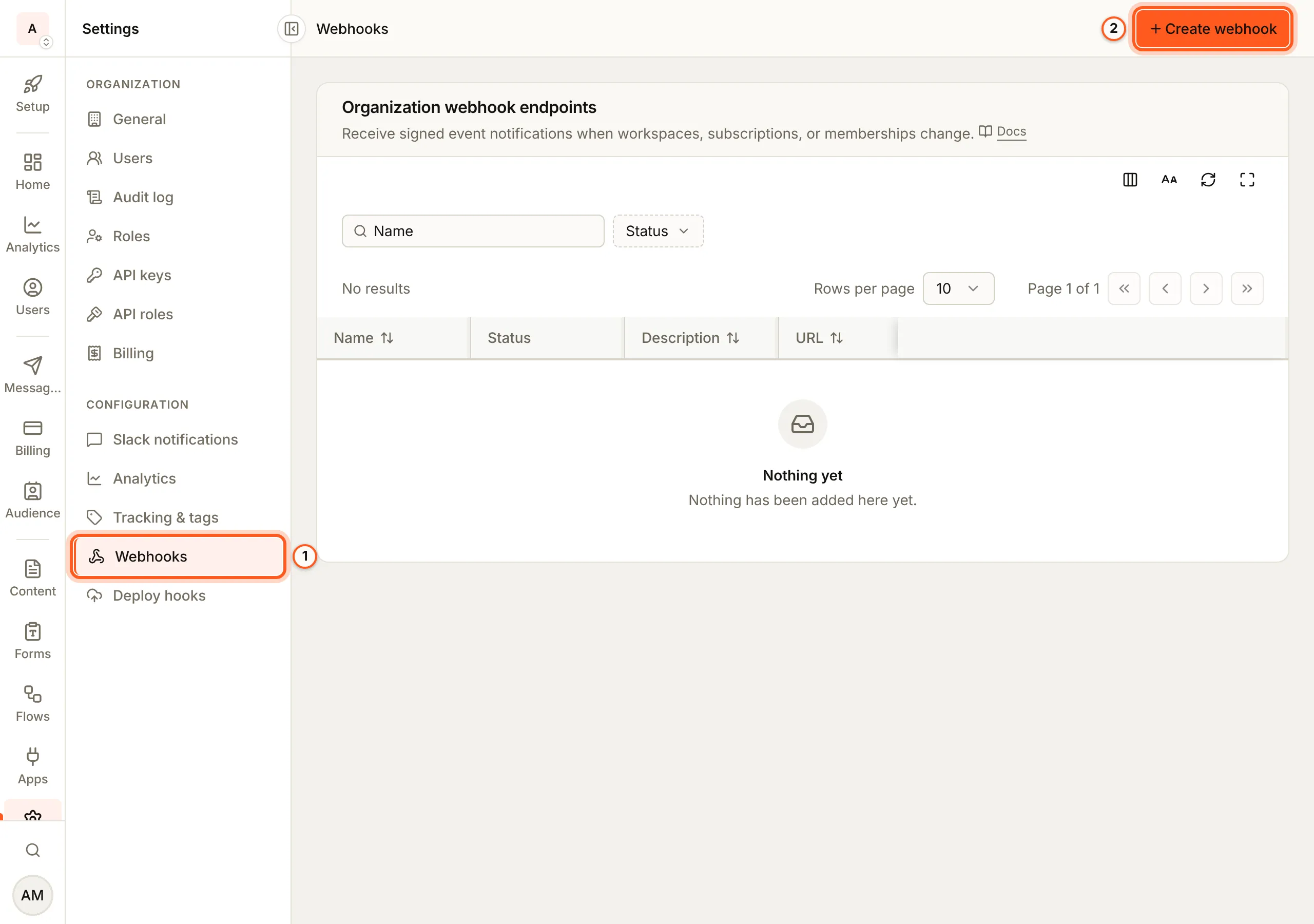
Open Webhooks in the console (opens the console in a new tab)In the left rail choose Settings, then Webhooks under Configuration. Organization webhook endpoints lists each endpoint with its address, events and status. Press Create webhook.
2. Add the endpoint
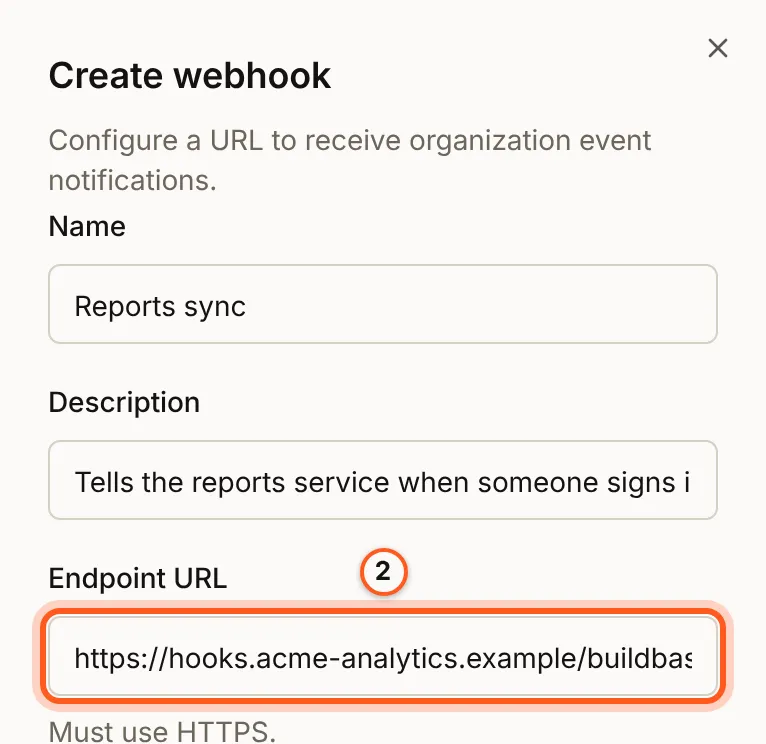
In Create webhook, fill Name, Description and Endpoint URL, the
address BuildBase calls. Leave Enabled on. In production the address must
be HTTPS; a development or staging environment also takes http:// and a
tunnel (in development and staging).
3. Choose its events
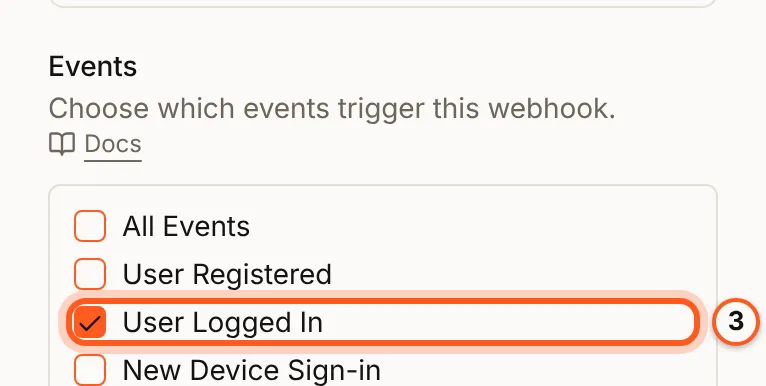
Under Events, tick the events it should get, such as User Logged In, or All Events. What each event carries is in event categories.
4. Copy the secret
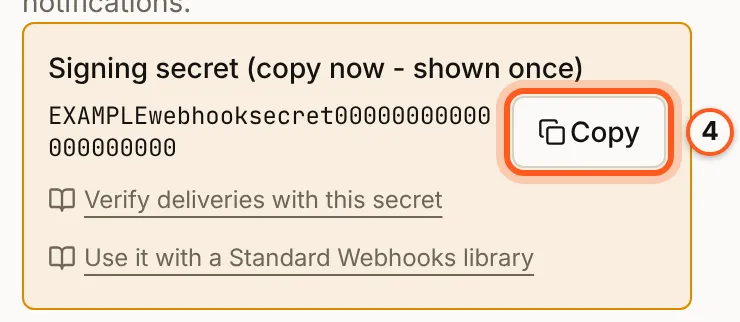
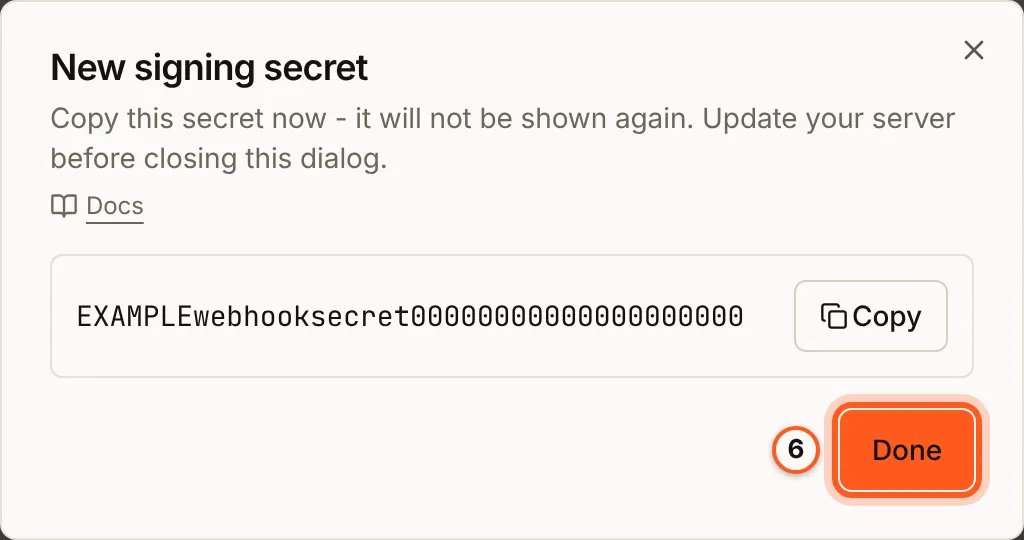
Press Create. The sheet shows Signing secret (copy now - shown once):
copy it into your server's settings, as BUILDBASE_WEBHOOK_SECRET, the name the code on Webhooks and events reads. It is
not shown again.
5. Read the delivery log
Make the event happen (here, sign in to your app as a test user), then press
Logs on the endpoint's row. Delivery logs lists each delivery with its
event, the response status, how long it took and which attempt it was. A
delivery your server answered with a 2xx reads OK; one it did not, or
could not be reached for, reads Failed with the reason.
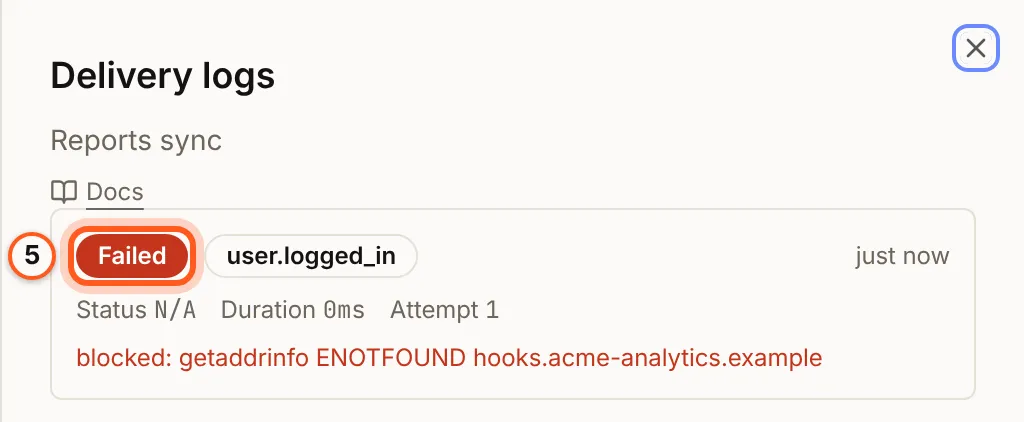
A failed delivery is tried again, up to five attempts over about two and a half minutes, then dropped (delivery guarantees).
6. Rotate the secret
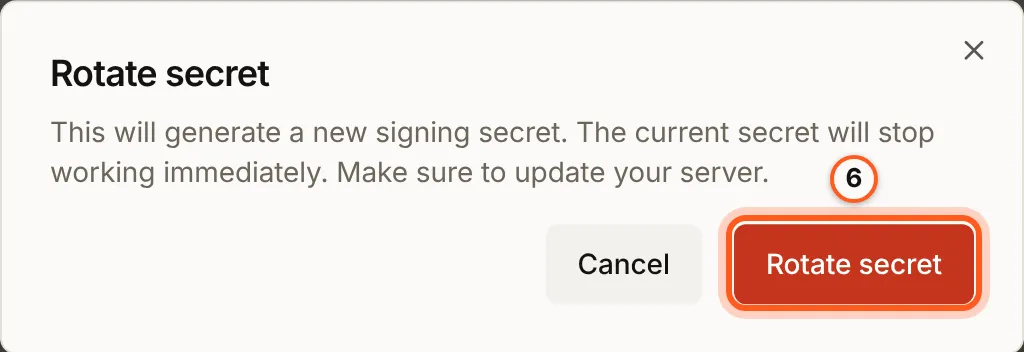
Press Rotate secret on the row and confirm with Rotate secret. New events are signed with the new secret at once, so have your server ready for it. Copy it from New signing secret, then press Done. A delivery that was already waiting to be retried is signed with the new secret on its next attempt, and one your server rejects while it still has the old secret is retried for about two and a half minutes (rotating the signing secret).
When an endpoint turns itself off
An endpoint that keeps failing is switched off and reads Auto-disabled, with "Too many failed deliveries" and when. Fix your server, then press Edit, turn Enabled on and press Update.

7. Remove an endpoint
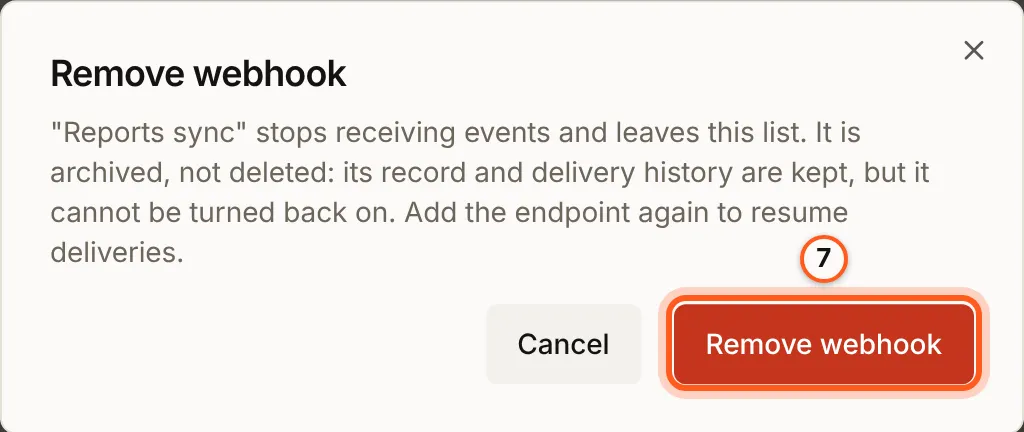
Press the bin on its row and confirm with Remove webhook. It stops getting deliveries and frees its place under your plan's limit; its record and history are kept, and it cannot be turned back on. Add it again to use it again.
Check it works
Sign in to your app as a test user. Your server receives a user.logged_in
delivery, answers 2xx, and the delivery reads OK in Logs.
Things to watch out for
- The secret is shown once, when you create the endpoint and when you rotate it. Rotating signs new events, and the next attempt of a delivery already retrying, with the new secret at once: put it on your server within about two and a half minutes and nothing is lost.
- Remove cannot be undone. A removed endpoint cannot be turned back on; add it again instead.
- A failing endpoint turns itself off. 50 failed deliveries in a row, the first of them at least an hour ago, switch it off and it reads Auto-disabled. Fix your server, then Edit it, turn Enabled on and press Update.
- There is no resend. A delivery that fails all its attempts is dropped.
- Each environment has its own endpoints and secrets. Promoting an environment copies neither.
Next Steps
- Webhooks and events overview - every event, the payload and the receiver.
- Standard Webhooks - verify with a Standard Webhooks library instead.