
Custom claims
Attach facts about a user, such as a plan or a tenant, that reach your backend at sign-in and in every agent token.
A custom claim is a fact about one user that your backend wants at sign-in without a second lookup: their plan, a tenant id, a support tier, a flag. You set claims per user, from the console or with an API token. The person can read their own and cannot change them.
curl -X PUT https://api.console.buildbase.app/api/users/6650f1c2a1b2c3d4e5f60718/claims \
  -H "Authorization: Bearer $BUILDBASE_API_TOKEN" \
  -H "Content-Type: application/json" \
  -d '{"claims": {"plan": "pro", "tenant": "acme", "limits": {"seats": 25}}}'
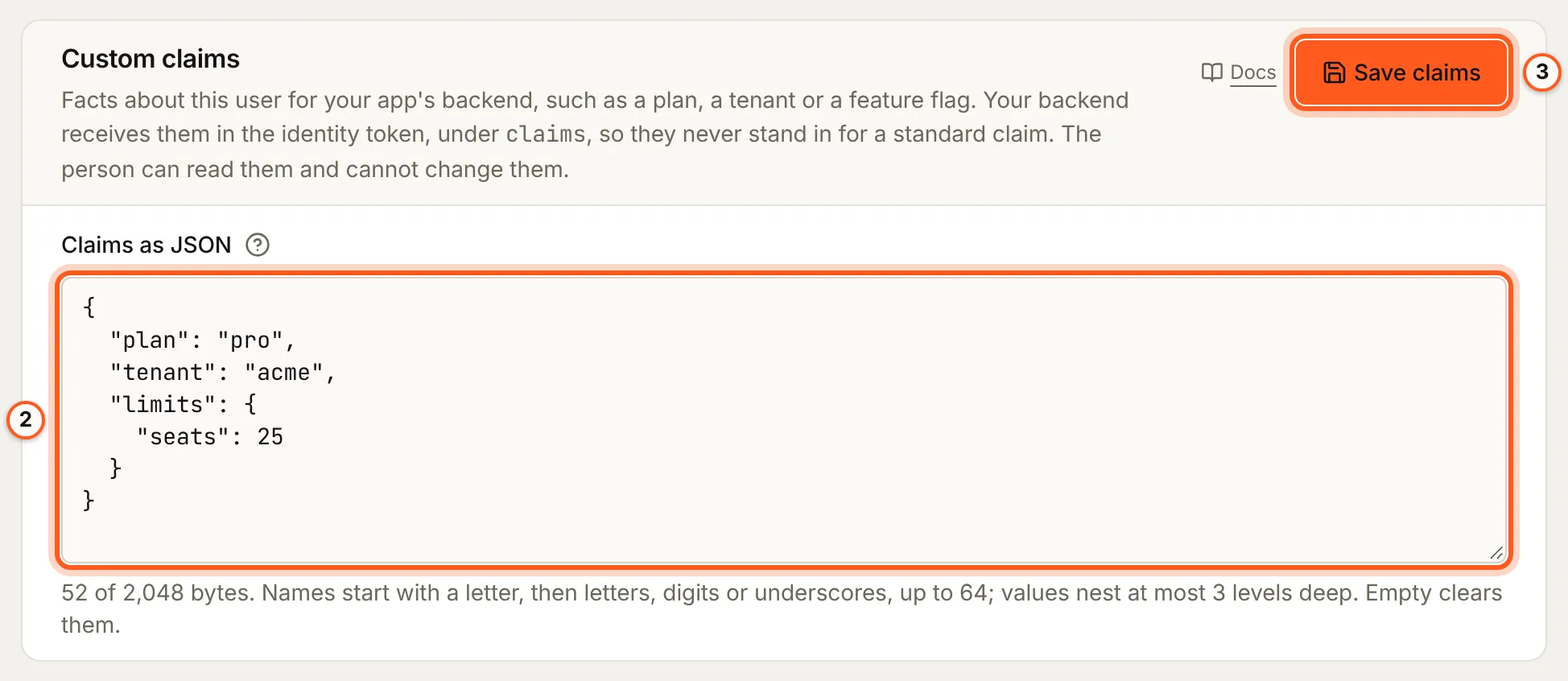
The token is an org API token whose role can update users, made under Settings > API keys (see Admin API). The route answers { claims }. In the console, the same object is the Custom claims card on the user's page, as JSON.
Set them in the console
Open Users in the console (opens the console in a new tab)- Open Users in the rail, then the person.
- In the card Custom claims, type the claims into Claims as JSON as one JSON object. The line under it counts the bytes, and says what is wrong before you save.
- Click Save claims. Empty the box and save to clear them.
The sign-in setup guides walk through the rest of your sign-in setup in the console, with screenshots.
The rules
| Rule | Limit |
|---|---|
| Shape | A JSON object. {} clears every claim |
| Names | A letter, then letters, digits or underscores, 64 characters at most. Keys inside nested objects follow the same rule |
| Depth | Values nest at most 3 levels deep |
| Size | 2,048 bytes as JSON |
| Values | Strings, finite numbers, true, false, null, arrays and objects |
A save replaces the whole object, so send every claim you want to keep. One that breaks a rule is refused with 400 invalid_claims and a sentence naming the problem, and nothing is saved.
Each save writes user.claims_updated to the security audit log, with the claim names and never their values: a claim can hold anything.
Where they arrive
| Where | Field |
|---|---|
| The code exchange | data.user.claims from POST /api/v1/auth/token |
| Your backend, holding a session | claims from GET /api/v1/public/profile |
| The browser | useSaaSAuth().user.claims |
| Your Application Token URL | claims in the identity token BuildBase signs, AppTokenRequestClaims.claims |
They are {} when the user has none, so reading a key needs no guard on the object itself. They always sit under claims and never beside sub, email or role, so a claim called role cannot stand in for the real one.
At the code exchange, in the route that sets the session cookie:
const { data } = await res.json(); // { sessionId, user }
const plan = data.user.claims.plan ?? 'free';
For OAuth2 clients and agents, BuildBase sends them to your Application Token URL on every grant and every refresh. Copy what the token needs into it:
import { handleAppTokenRequest, mintAgentToken } from '@buildbase/sdk';

const { status, body } = await handleAppTokenRequest({
  authorization: request.headers.get('authorization'),
  clientSecret: process.env.BUILDBASE_AGENT_CLIENT_SECRET!,
  mintToken: (claims) =>
    mintAgentToken({
      claims,
      secret: process.env.SYSTEM_SECRET!,
      extraClaims: { plan: claims.claims?.plan },
    }),
});
When a change shows
The next code exchange, profile read and token mint carry it. The SDK reads claims with the profile when the session loads, so a tab that is already open sees the change after a reload. A deleted account loses its claims with the rest of its data.
Next steps
- Signing in as a user - see your app as the person, claims and all.
- MCP and agents - the Application Token URL that receives them.
- Admin API - tokens, roles and permissions.